April 15, 2026
·
10 min read
7 web traffic SEO mistakes costing you clicks
A hands-on troubleshooter for diagnosing and fixing SEO traffic drops—verify real click loss, improve titles for higher CTR, resolve keyword cannibalization, strengthen internal linking, speed up slow pages, and clean up indexing/canonical issues so rankings turn into clicks again.


Traffic dipped, but rankings “look fine”? That’s usually a sign you’re leaking clicks somewhere—titles that don’t earn attention, pages competing with each other, or technical signals that send Google mixed messages.
This troubleshooter walks you through a fast, practical workflow to find the real cause and fix it with confidence. You’ll learn how to confirm the loss is real, pinpoint the pages and queries affected, patch internal link gaps, prioritize speed wins, and untangle indexing and canonical chaos.
Find the Real Leak
Clicks don’t “just drop.” Something changed in rankings, SERP layout, tracking, or demand.
Your job is to prove the leak is real, then narrow it to pages and queries. Only then do you pick the right fix.
Verify click loss
Use GSC to confirm the decline is real and scoped. Compare like with like, not “last week felt slower.”
- In GSC Performance, compare identical date ranges and days.
- Chart clicks, impressions, CTR, and average position together.
- Segment by device to catch mobile-only drops.
- Segment by country to catch geo-specific shifts.
- Note the first day the trend breaks.
If clicks fall but impressions hold, you’re looking at a SERP or CTR problem.
Pinpoint affected pages
You need a short list of losers, not a sitewide diagnosis. Patterns usually reveal one broken template or one fading topic.
- Export top losing URLs by clicks.
- Export top losing queries by clicks.
- Group losses by template or directory.
- Tag each drop as sudden or gradual.
- Note shared intent: “how-to,” “pricing,” “local,” “definition.”
If most losses share one template, fix the template before rewriting content.
Rule out tracking
Sometimes “traffic loss” is a measurement split, not a ranking drop. You’ll see GSC steady while analytics falls, or the reverse.
Example: a new cookie banner cuts analytics sessions, but GSC clicks stay flat. Another common tell is a tag deploy that stops firing on Safari.
When GSC and analytics disagree, treat analytics as guilty until proven innocent.
Check SERP changes
SERPs change faster than your content. A new feature can push you below the fold overnight.
- Screenshot current SERPs for the top losing queries.
- Note new features: AI overviews, videos, PAA, local packs.
- Identify new competitors and their angle.
- Check if intent flipped, like “best” replacing “how to.”
- Record what now ranks where you used to.
If your result was replaced by a different format, you need a different format too.
Titles That Don’t Win
Good rankings with weak clicks usually means your snippet loses the decision moment. Your title and description can be accurate, yet still feel like the “wrong result” in a crowded SERP.
CTR diagnosis
Find pages that rank well but underperform on clicks, then benchmark against your own position norms.
- Open Search Console and filter to the last 28 days.
- Sort queries by high impressions, then scan for low CTR.
- Add a Position filter, like 1–3, 4–6, or 7–10.
- Compare each query’s CTR to your site’s average CTR for that band.
- Export the worst gaps and map each query to a landing page.
When a query is “top 3” and still ignored, your snippet is the problem.
Common title traps
Most title problems are invisible to you, because you already know what the page means. The SERP only sees words.
- Writing overlong titles that truncate before the differentiator
- Reusing duplicated templates across different intents
- Missing the primary intent terms people actually type
- Leading with vague branding-first phrasing like “Acme | Solutions”
- Promising one thing, then delivering another on the page
If your title could fit five competitors, Google will test them, and users will skip you.
Rewrite for intent
Write titles like you’re answering the query out loud, using the same words the searcher used. Add one concrete detail, like “pricing,” “templates,” “2026,” or “step-by-step,” and make sure the page actually delivers it.
If the query is “GA4 custom events,” a title like “GA4 Custom Events: Setup, Examples, and Debugging” beats “Analytics Tracking Guide.” That alignment reduces clicks-from-curiosity and cuts pogo-sticking.
Test safely
Treat titles like experiments, not rewrites, so you can learn without trashing winners.
- Change one variable per page, like intent term or specificity.
- Annotate the change date in a shared log or in your SEO tool.
- Keep the URL and on-page content stable during the test.
- Measure CTR and average position after 14 days, then again at 28.
- Roll out the winner pattern to similar pages, not the whole site.
The goal is repeatable patterns, not one lucky title.
If you want a broader framework for improving click-through and on-page relevance, see this SEO guide for higher rankings.
For the fundamentals, Google’s guidance on writing better titles and snippets is covered in the SEO Starter Guide.
Cannibalized Keywords
Cannibalized keywords happen when two or more pages chase the same query and split ranking signals. You’ll see “which page ranks” change weekly, like a coin flip, and clicks leak away.
Spot cannibalization
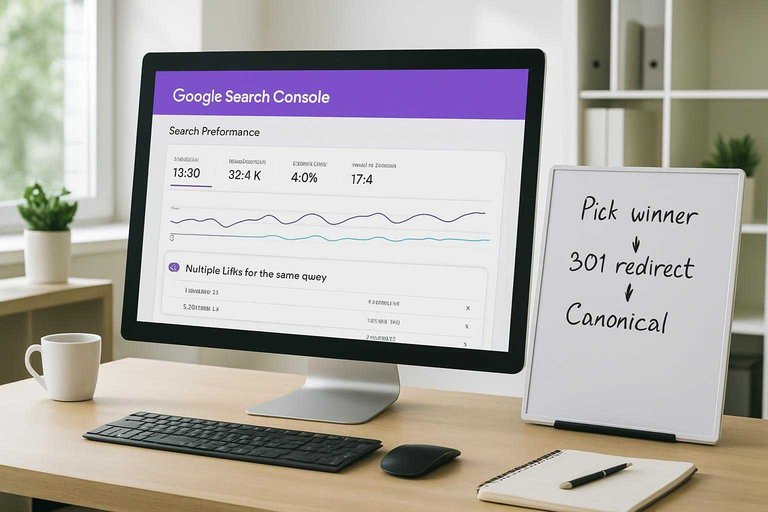
Google Search Console can show you when one query triggers multiple URLs. You’re looking for instability, not just overlap.
- Open GSC → Performance → Search results.
- Pick a high-value query and review the Pages tab.
- Flag queries where multiple URLs earn impressions.
- Check for URL swapping week to week.
- Note mixed intent pages ranking together.
If URLs rotate for the same query, you’re watching cannibalization in motion.
Pick the winner
You need one page to own the query, or Google will keep hedging. The “winner” is the page that best matches intent and already earns trust.
Choose the page with the strongest intent match, backlinks, conversions, and content depth. Then define its primary query set, like “invoice software for freelancers” plus close variants, and stop other pages from targeting it.
Consolidate signals
Once you pick a winner, force every related signal to point there. Half-measures keep the tug-of-war going.
- Merge overlapping sections into the winning page.
- 301 redirect weaker pages to the winner.
- Update internal links to use the winning URL.
- Fix canonicals so they point to the winner.
- Refresh titles and headings to match intent.
When every signal aligns, rankings stop wobbling and start compounding.
Avoid repeat offenses
Prevention is cheaper than cleanup, especially on growing sites. Give your team a simple rulebook.
- Maintain a keyword-to-URL map.
- Assign one primary query per page.
- Use a content brief intent checklist.
- Check existing pages before drafting.
- Add “cannibalization review” to QA.
The map becomes your traffic budget, and duplicate targeting becomes a visible overspend.
Internal Links That Starve
Weak internal linking makes your best pages invisible to crawlers and forgettable to users. It’s how a strong page becomes “technically live” but practically unreachable.
Find orphan pages
Orphan pages don’t get authority, and they rarely earn impressions. You find them by comparing what exists to what your site actually links to.
- Crawl your site and export all HTML URLs.
- Export indexed URLs from Google Search Console.
- Compare lists and flag URLs missing from the crawl.
- Filter for pages with zero or very few inlinks.
- Prioritize pages with conversions or strategic intent.
If a page needs search traffic, it needs internal links first.
Strengthen hub paths
Internal links work best when they follow a clear topic structure. Build paths that feel obvious to both readers and crawlers.
- Create a hub page per core topic.
- Add contextual links from top-traffic pages.
- Link from related posts, not just menus.
- Use anchors that match search intent.
- Keep each hop purposeful, not random.
When hubs exist, your “important” pages stop competing with your own clutter.
Repair navigation patterns
Some navigation looks fine to users but fails crawlers. Facets, infinite scroll, and JS-only links can create dead ends or spider traps.
Example: a filter generates 50,000 crawlable URLs with near-duplicate content. Google spends its budget there.
Fix it with crawlable category links, controlled parameter rules, and real hrefs for key paths—often helped by using the right resources to simplify SEO workflows. That’s the line that gets crossed.
Re-crawl and validate
Changes don’t count until you verify them. Re-test the crawl, then push priority pages back into Google’s attention.
- Re-run your crawl and export internal link counts.
- Check link depth for priority pages.
- Confirm anchors and destinations resolve cleanly.
- Request indexing for the highest-value URLs.
- Monitor impressions and top queries for recovery.
If impressions don’t move, your links still aren’t carrying weight.
Slow Pages, Lost Clicks
Slow pages don’t just annoy users. They quietly suppress rankings and kill conversions, especially on mobile. Think “tap, wait, back” behavior.
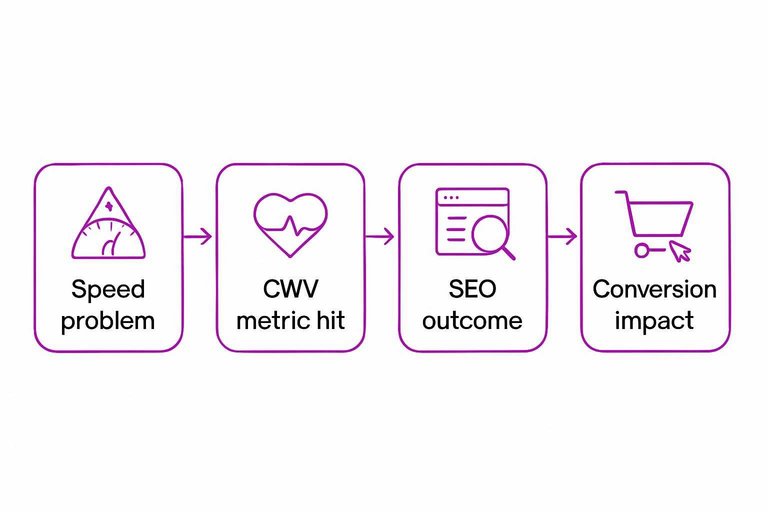
Page speed is an SEO issue and a revenue issue. It shows up as weaker Core Web Vitals, lower crawl efficiency, and fewer completed actions. Fix the bottleneck that moves CWV first.
| Speed problem | CWV metric hit | SEO outcome | Conversion impact |
|---|---|---|---|
| Uncompressed hero images | LCP | Lower visibility | More bounces |
| JS blocks main thread | INP | Softer rankings | Fewer clicks |
| Layout shifts from ads | CLS | Trust loss | Abandoned forms |
| Slow server response | TTFB/LCP | Slower indexing | Lower sales |
| Too many third-parties | INP/LCP | Crawl waste | Drop-off spikes |
Prioritize the fix that improves LCP or INP in one deploy. That’s where clicks come back fastest.
If you need the exact definitions and thresholds, see Google’s documentation on Core Web Vitals.
Indexing and Canonical Chaos
Indexing directives can silently pull your best pages out of search. Canonical confusion can also split equity across duplicates, like when both /pricing and /pricing/ compete.
Index coverage triage
Use GSC to find which “Excluded” reasons actually hurt revenue pages.
- Open GSC → Indexing → Pages, then export the full report.
- Group “Excluded” by reason, then sort by affected URL count.
- Tag each reason as High, Medium, or Low business impact.
- Filter for key landing pages, then list the exact exclusion reason per URL.
- Create one fix ticket per reason, not per URL.
Your goal is fewer exclusion causes, not fewer excluded URLs.
Canonical mismatch fixes
Canonicals break when your site sends mixed signals across URLs.
- Align rel=canonical with the indexable, 200-status version
- Consolidate parameter duplicates with canonicals or URL handling
- Force one protocol, HTTP or HTTPS
- Force one host, www or non-www
- Standardize trailing slashes sitewide
If Google has to choose for you, it will choose inconsistently.
Robots and noindex traps
Robots rules and noindex flags can block entire templates without you noticing. The classic mistake is leaving “noindex” on a staging-derived theme, then shipping it to production.
Check robots.txt for broad disallows, then sample key URLs with the URL Inspection tool. Confirm meta robots and X-Robots-Tag headers match your intent on category, pagination, and faceted pages.
One misplaced directive can erase months of content work overnight.
Sitemap hygiene
Your sitemap should be a clean list of URLs you want indexed.
- Crawl your sitemap URLs and keep only 200-status pages.
- Remove redirects, 404s, canonicals-to-other-URLs, and noindex pages.
- Ensure every sitemap URL matches your canonical rules exactly.
- Validate lastmod dates reflect real on-page changes.
- Resubmit and monitor “Submitted vs indexed” deltas in GSC.
A sitemap is a promise to Google, so stop promising garbage.
Run Your 30-Minute Traffic Leak Check
- Confirm the drop: compare the same pages/queries over the same dates, then rule out tracking changes.
- Identify the culprit pattern: CTR down (title/snippet), impressions down (SERP shift), position volatility (cannibalization), or uneven page discovery (internal links/indexing).
- Ship one high-impact fix: rewrite titles for intent, consolidate competing pages, add hub-to-leaf links, or remove canonical/robots/noindex conflicts.
- Validate: request re-crawl where appropriate, monitor clicks/CTR by page, and re-check indexing and canonical signals after Google updates.
Frequently Asked Questions
- Does web traffic SEO still work in 2026 with AI answers and zero-click searches?
- Yes—most sites still get the majority of measurable growth from organic clicks, but you need to optimize for SERP features (featured snippets, PAA, video, local) and brand demand to win clicks when AI summaries reduce them.
- How do I know if my web traffic drop is an algorithm update or a penalty?
- Check Google Search Console for a sitewide vs. page/query-specific decline and compare the drop date to known update timelines; manual penalties show up in Search Console under Manual actions, while algorithm hits won’t.
- What are the best web traffic SEO tools to diagnose a click decline quickly?
- Use Google Search Console (Performance + Pages), Google Analytics 4, and a crawl tool like Screaming Frog or Sitebulb; pair with an SEO suite (Semrush/Ahrefs) to spot ranking volatility and competitor gains.
- How long does it take for web traffic SEO fixes to increase clicks again?
- Most on-page and internal linking fixes show early movement in 2–6 weeks, while technical fixes (indexing, canonicals, CWV) often take 4–12 weeks to fully reflect after recrawling and reprocessing.
- If rankings didn’t drop, why did my web traffic SEO clicks fall anyway?
- Clicks often fall from SERP changes like new ads, AI overviews, or competitors improving titles and rich results; confirm by tracking CTR by query in Search Console and checking the live SERP for layout changes and new features.
Turn Fixes Into Traffic
Spotting web traffic SEO mistakes is the easy part; consistently publishing optimized, well-linked pages that avoid cannibalization and indexing issues is where teams get stuck.
Skribra produces daily SEO-optimized articles with metadata, formatting, images, and WordPress publishing built in—plus a backlink exchange network to help boost authority. Start with the 3-Day Free Trial and keep improvements shipping.
Written by
Skribra
This article was crafted with AI-powered content generation. Skribra creates SEO-optimized articles that rank.
Share: