March 15, 2026
·
12 min read
9 On Page SEO Optimization Tactics: When to Use
A tactical collection of on-page SEO optimizations you can apply based on the situation—match tactics to goals, align content to search intent, upgrade titles/headings, refresh and consolidate pages, and improve internal links, schema, performance, and indexation hygiene.

Ever “optimize” a page and watch nothing happen—or worse, rankings slide? Most on-page work fails because the tactic doesn’t match the problem: you tweak copy when the issue is intent, or chase speed when the page isn’t even index-worthy.
This collection helps you choose the right on-page move at the right time. You’ll map tactics to goals (rank, recover, raise CTR, convert), use an intent-first fit check, and then apply targeted upgrades across titles/headings, refreshes, internal links, schema, performance, and indexation cleanup.
Pick Tactics By Goal
Pick tactics by the outcome you need, not the checklist you found. A “rank drop” problem wants different work than a “high impressions, low clicks” problem.
Rank New Page
New pages rank faster when your draft matches the query’s job and your site can vouch for it. Your goal is clean intent alignment plus immediate internal support, like linking from a relevant hub page.
Start with a content brief that mirrors the top SERP patterns, then tighten H1/H2s to echo real queries and sub-intents. Add internal links from pages that already earn impressions, using specific anchors instead of “learn more.” If you need a refresher on fundamentals, use this SEO guide for new pages to sanity-check your launch plan.
If you can’t point strong internal links at it, you’re asking Google to guess.
Fix Ranking Drop
Ranking drops are usually a mismatch: intent changed, a competing page emerged, or freshness fell behind. Treat it like debugging, not rewriting.
Check cannibalization first, especially after launching “similar” pages or new nav links. Refresh content where the SERP moved, like adding comparisons, pricing, or updated steps, then re-align to the dominant intent if results shifted from “guide” to “tool” or “category.”
If the SERP changed, your old best page is now the wrong shape.
Boost CTR
When impressions are high but clicks lag, you have a promise problem. Your snippet looks less compelling than the alternatives, even if you rank well.
- Rewrite titles with outcome-first language, not keyword stuffing
- Tighten meta descriptions with proof points, like “templates” or “pricing”
- Add query-matching H2s that can surface as sitelinks
- Target rich results with valid schema, like FAQ or HowTo
- Remove truncation triggers, like repeated brand prefixes
Winning CTR is winning the click auction, not the ranking auction.
Lift Conversions
If traffic is steady but leads or sales are soft, the page answers the query but not the buyer. You need clarity, trust, and a next step that fits intent.
- State the offer above the fold, in plain language
- Match CTA to intent, like “Get a quote” vs “Start trial”
- Add trust near the CTA, like reviews, logos, or guarantees
- Reduce friction, like fewer fields or clearer pricing ranges
- Align proof to objections, like “setup in 10 minutes”
Your SEO did its job; now your page has to close.
Improve Crawl
Crawl issues show up when important pages aren’t discovered, aren’t indexed, or get de-prioritized. Fix the paths and the signals before you add more content.
- Audit indexation in GSC, then list excluded key URLs.
- Remove or noindex thin duplicates, like faceted and parameter variants.
- Strengthen internal links from high-crawl pages, like nav and hubs.
- Fix canonicals, sitemaps, and redirect chains on priority templates.
- Confirm rendering and blocked resources with URL Inspection.
If Google can’t reliably find it, nothing else matters.
Speed Up Pages
Speed fixes work best when you target the specific metric that’s failing, not generic “optimize everything.” Use CWV reports to pick the highest-impact bottleneck.
- Fix LCP by compressing images and prioritizing the hero asset.
- Fix INP by reducing main-thread scripts and third-party tags.
- Fix CLS by reserving space for images, ads, and banners.
- Ship lean templates, removing unused components and heavy libraries.
- Re-test on field data, not just Lighthouse.
Performance gains compound, because faster pages get crawled and used more.
Local Relevance
Local queries reward strong entity signals and clean location mapping. You’re proving “we serve here” without looking spammy.
Build location pages that answer local intent, like service areas, turnaround times, and “in [city]” constraints. Keep NAP consistent across your site and listings, and reinforce the entity with embedded maps, local schema, and neighborhood references that sound human.
If your location story is fuzzy, you’ll lose to the business with the cleanest signals.
Intent-First Content Fit
Match the page to the searcher’s job, not your preferred format. If your page feels like “a blog post pretending to be a product page,” you’ll leak clicks fast.
| Tactic | Use when | Why it works | Quick how | Pitfalls |
|---|---|---|---|---|
| 1) Rebuild for dominant intent | Top results differ from yours | Aligns with ranking pattern | Mirror format and depth | Copying blindly |
| 2) Add intent sections | Mixed SERP, same topic | Captures secondary needs | FAQs, comparisons, steps | Bloated, unfocused |
| 3) Tighten query-to-answer | Users want fast answer | Reduces pogo-sticking | Answer first, then expand | Over-thinning content |
Treat intent like a spec, not a vibe, then ship the format Google already rewards.
Titles And Headings
Your title tag, H1, and H2s are your promise to the searcher. When they mirror real queries, you get cleaner intent matching and better clicks.
A dead giveaway is the “I ranked, but nobody clicked” problem. Another is ranking for an adjacent topic you never meant to target.
Rewrite Title Tags
Use this when impressions are high but CTR is low. Your snippet is showing up, but your wording is losing the click.
- Pull top queries from Search Console for that URL.
- Start the title with the primary query phrase.
- Add a concrete benefit like “template,” “checklist,” or “examples.”
- Match constraints like year, region, price, or “for beginners.”
- Keep it readable, not stuffed, and avoid repeating the brand.
If your title doesn’t answer the query in the first five words, you’re donating clicks.
If you want to reduce rewrites, review Google’s guidance on influencing title links.
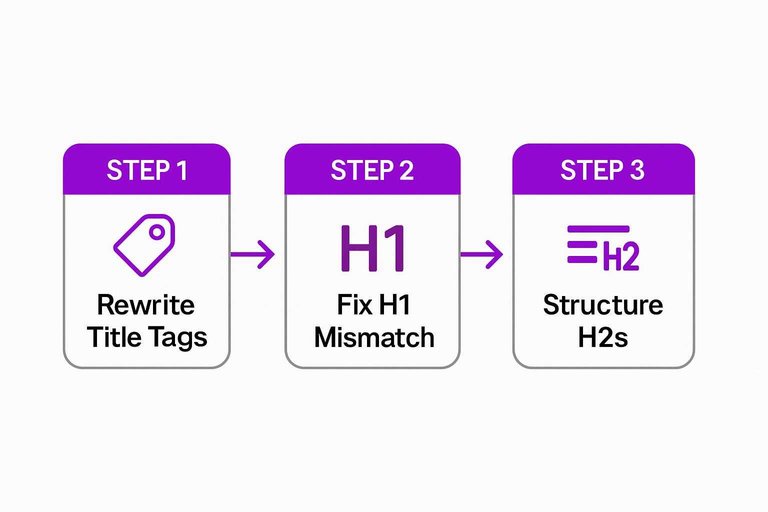
Fix H1 Mismatch
Use this when your page ranks for the wrong intent. You’ll see queries that feel like “close, but not it.”
Example: your title targets “best CRM for startups,” but your H1 says “Our CRM Platform.” That H1 signals a product pitch, not a comparison page.
Rewrite the H1 to match the primary query and pick one topic. One clear page, one clear promise.
Structure H2s
Use this when content feels unscannable. If you’re relying on bold text and long blocks, you’re hiding answers.
- Turn sub-intents into H2s, like “pricing,” “setup,” “pros and cons.”
- Convert People Also Ask questions into exact-match H2s.
- Use “X vs Y” H2s for comparison-heavy queries.
- Add “Who it’s for” and “Who should skip” sections.
- Avoid vague H2s like “Overview” or “Final Thoughts.”
Good H2s don’t decorate your post. They route search intent to the right paragraph.
Refresh Existing Pages
Updating a page beats publishing a new one when you already have momentum. If a URL has links, rankings, and history, a smart refresh compounds faster than a fresh start—use this checklist for streamlining SEO content to make sure updates ship fast and consistently.
Content Refresh Signals
Refresh when the SERP moved and your page didn’t. Start with your top 10–20 pages, because small lifts there beat big lifts on page 200.
- Competitors show newer dates and updated sections
- SERP features change, pushing your format down
- Facts drift, like prices, rules, or stats
- Search intent shifts, like “best” to “comparison”
- CTR drops while rankings stay flat
If you keep losing to “2026” pages, you’re not outranked. You’re outdated.
Expand Coverage Depth
Expand when users bounce back fast, then click the next result. That behavior screams, “You answered a question, not the job.”
Add what’s missing:
- A “who it’s for” and “who it’s not” section
- Side-by-side comparisons, with clear tradeoffs
- FAQs pulled from real objections and support tickets
- Original examples, like “here’s the exact template”
- Decision guidance, like “choose A if X”
Depth isn’t more words. It’s fewer reasons to go back to Google.
Consolidate Cannibalization
Consolidate when two or more URLs rank for the same intent and trade places. You’re splitting signals, then wondering why nothing sticks.
- Pick the strongest URL using links, rankings, and conversions.
- Merge unique sections from weaker pages into that URL.
- 301 redirect the old URLs to the winner.
- Set canonicals, internal links, and sitemaps to the winner.
- Re-submit the updated URL for indexing.
One clear page wins more often than three “almost” pages.
Internal Link Leverage
Internal links beat “write another post” when your pages exist, but Google can’t find them, trust them, or understand them. A single link from a busy, relevant page can do more than 1,000 new words on a dead URL.
Use internal linking when you need faster discovery, cleaner authority flow, and tighter anchor text control.
Add Contextual Links
Use this when a page is indexed but stuck on page two. You’re not missing content. You’re missing signals.
- Find high-traffic pages ranking for the same intent.
- Add an in-body link near the matching concept.
- Use descriptive anchors, not “click here.”
- Rotate anchors across pages to avoid repetition.
- Point to the exact best URL, not a category.
If rankings move after this, the content wasn’t the bottleneck. Internal signals were.
Build Topic Hubs
Use this when you’re scaling a category and the site starts feeling “same-y” to Google. A hub turns scattered posts into a visible cluster with a clear center.
Create one hub page that defines the topic, then link out to focused spokes that answer specific questions. Keep breadcrumbs consistent so every spoke reinforces the same topical path.
If you can’t explain the cluster in one breadcrumb trail, Google won’t either.
Fix Orphan Pages
Use this when pages exist but never get organic landings. Orphans can’t earn authority if crawlers rarely reach them.
- Add a link from a relevant hub page.
- Add a link from a related high-traffic article.
- Add navigation or footer coverage where appropriate.
- Add the URL to your XML sitemap.
- Add breadcrumbs so paths stay consistent.
If a page has no paths in, it’s not a page. It’s a file.
Schema And Snippets
Structured data helps when it makes you eligible for a specific rich result. Eligibility is the gate, accuracy is the price, and intent matching is the payoff. Think “Product with price,” not “random JSON-LD for vibes.”
Choose Schema Types
Use schema when the page genuinely qualifies for a rich result.
- Use Article for news, blog posts, and publisher content.
- Use Product for purchasable items with price and availability.
- Use FAQ for real questions with visible answers.
- Use HowTo for step-by-step tasks with clear outcomes.
- Use LocalBusiness for locations with NAP and hours.
Pick the schema that matches the page’s job, or you’ll win nothing.
Validate And Monitor
Use validation when one warning can quietly kill your visibility.
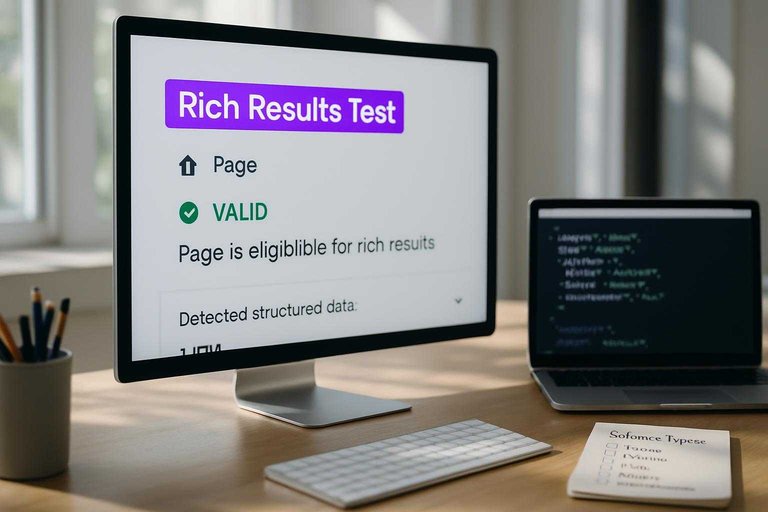
- Run the Rich Results Test on the exact URL.
- Fix required fields before “recommended” warnings.
- Confirm markup matches visible on-page content.
- Submit recrawl, then re-test after indexing.
- Track impressions in Search Console by enhancement.
Treat schema like code in production, because Google does.
Snippet Copy Tweaks
Use snippet tweaks when Google keeps rewriting your title and description. It happens when your intro is vague, your definitions are missing, or your page answers don’t match the query. Add a crisp first paragraph, a one-sentence definition, and a direct answer block that mirrors the searcher’s wording.
Media And Performance
Slow pages feel broken, even when your content is great. Google also treats bad Core Web Vitals as a ranking risk, especially when competitors are similar.
Use performance work when you see user pain in analytics or a red flag in PageSpeed Insights like “LCP issue” or “Poor INP”.
Optimize Images
Use this when LCP is high and the “Largest Contentful Paint element” is an image or poster frame.
- Compress aggressively without visible artifacts.
- Resize to the rendered size, not the original upload.
- Convert to next‑gen formats like AVIF or WebP.
- Set explicit width and height on every image.
- Lazy-load below-the-fold images only.
If your hero image is heavy, you’re paying an LCP tax on every visit.
Reduce Script Cost
Use this when INP is poor and your page feels “sticky” after clicks or taps.
- Defer or delay noncritical JavaScript until after interaction.
- Remove heavy tags you don’t measure, like extra trackers.
- Split bundles so critical UI loads first.
- Simplify interactive components that re-render too often.
- Move expensive work off the main thread when possible.
When JavaScript blocks input, users don’t wait for your conversion event.
Stabilize Layout
Use this when CLS is flagged and your page “jumps” during load. You’ll see it when users misclick a button because an ad or banner slides in.
Reserve space for ads and embeds, avoid late-loading promos, and preload fonts to prevent text reflow. That’s the line between a polished page and a page that feels scammy.
Indexation Hygiene
Technical on-page fixes matter when Google’s signals conflict, not when your copy needs a tweak. If your site leaks duplicates, parameters, or low-value pages, you’ll watch good pages get crawled less and updated slower. Think “/shoes?color=blue” outranking the clean category URL because the signals got split.
Fix Duplicate Signals
Use this when similar pages exist and Google can’t pick the “real” one.
- Set one canonical URL per cluster
- Link internally to the canonical only
- Standardize trailing slashes and case
- Reduce template-driven near-duplicates
- Merge or redirect true duplicates
If your internal links disagree with your canonical, your canonical loses.
Noindex With Purpose
Use this when thin utility pages soak up crawl budget and index space. Typical culprits are filter URLs, tag pages that add no taxonomy value, and internal search results pages that look like “Search: red boots size 9.”
Noindex isn’t a cleanup sticker for everything. It’s a deliberate choice to keep low-value pages accessible for users, but invisible to the index.
Handle Parameters
Use this when faceted navigation explodes your URL count.
- Pick the canonical version for each facet set.
- Point parameter URLs to canonicals with rel=canonical.
- Force internal links to the canonical paths only.
- Block truly useless patterns in robots.txt selectively.
- Monitor indexed parameter pages in Search Console.
You’re not fighting parameters. You’re restoring a single, dominant URL per intent.
Choose one goal, then run a tight on-page sprint
- Pick the outcome you need most (new rankings, recovery, higher CTR, better conversions, crawl/indexation cleanup, or speed).
- Confirm intent fit first, then prioritize the highest-leverage fixes: titles/headings, refresh/consolidation, internal links, and schema.
- Finish with performance and indexation hygiene so Google can crawl, render, and index the right URL efficiently.
- Measure one primary metric per page (position, CTR, CVR, crawl stats, or CWV), iterate, and only then move to the next tactic.
Frequently Asked Questions
- Does on page SEO optimization still matter in 2026 with AI search and Google’s AI Overviews?
- Yes—on page SEO optimization is often what makes your page eligible to be selected, cited, and understood by AI-driven results. Clear intent matching, strong headings, and accurate on-page entities help both rankings and AI extraction.
- Do I need off-page SEO (backlinks) for on page SEO optimization to work?
- Not always—on-page improvements can lift rankings when the page already has some authority or the query is low-to-mid competition. For competitive keywords, on-page SEO optimization usually needs supporting links to break into the top results.
- How do I measure on page SEO optimization results without waiting months?
- Track leading indicators in 1–3 weeks: Google Search Console clicks/impressions/CTR by query, average position, and index coverage; pair with server logs or analytics for landing-page engagement. Meaningful ranking and traffic shifts often show in 4–8 weeks for updated pages.
- Can I use AI tools for on page SEO optimization without getting hit by “thin content” issues?
- Yes—use AI to accelerate outlines and rewrites, then add unique substance: original examples, data, screenshots, or process details that satisfy the intent better than competing pages. A fast check is whether the page answers the query completely without relying on generic filler.
- How often should I do on page SEO optimization on existing pages?
- Most sites benefit from a quarterly refresh cycle for top landing pages and a 6–12 month review for the rest, with faster updates for time-sensitive topics. Prioritize pages with declining impressions, slipping rankings, or new SERP features appearing for target queries.
Operationalize On-Page SEO Faster
Choosing the right on-page SEO optimization tactics is the easy part; applying them consistently across every page takes time, process, and bandwidth.
Skribra generates and publishes SEO-optimized articles with intent-first structure, clean headings, meta support, internal links, and performance-friendly formatting—plus automatic WordPress delivery. Keep your pipeline moving with a 3-Day Free Trial.
Written by
Skribra
This article was crafted with AI-powered content generation. Skribra creates SEO-optimized articles that rank.
Share: