April 27, 2026
·
9 min read
Build SEO for a one-page website: 17-point checklist
A practical checklist for building SEO on a one-page website—choose the right scenarios and success metrics, map keywords to sections, nail above-the-fold relevance, structure content blocks that rank, and set up internal links plus a technical on-page table.

Trying to rank a one-page site can feel like asking Google to understand an entire business from a single URL. You can’t hide weak relevance behind “more pages,” and you have far fewer places to match intent.
This checklist shows you how to make one page do the job of many: plan a keyword-to-section map, tighten your H1/hero and CTA alignment, build sections that answer real questions, link out without trapping crawlers, and run a focused technical sweep before you publish.
One-page SEO basics
One-page SEO is SEO with hard constraints: one URL, one primary intent, and very limited topical depth. You can still win, but only when the page answers the query better than anything else.
“Good” looks like this: your page matches search intent, loads fast, and converts cleanly. Think “emergency plumber in Austin” with one booking action, not “everything about home services.”
When one-page works
A one-page site works when the searcher wants one clear answer, fast. If you’re forcing multiple intents onto one URL, rankings get weird.
- Match one search intent end-to-end
- Sell a limited set of offerings
- Optimize for one conversion goal
- Target a local or service area query
- Rely on proof, not breadth
If you can’t say your page’s job in eight words, it’s not a one-pager.
Core success metrics
Track metrics that show visibility, clicks, engagement, and business impact. Otherwise you’ll celebrate rankings while leads drop.
- Grow impressions on target queries
- Improve primary keyword position
- Lift CTR from the SERP
- Increase engaged sessions and time
- Track conversions by source
- Pass Core Web Vitals thresholds
If conversions don’t move, the “SEO win” is just noise.
The 17-point map
The checklist fits into three buckets: content relevance, technical signals, and authority. Relevance covers on-page intent alignment, headings, copy, internal section structure, and schema that clarifies meaning.
Technical signals cover crawlability, indexability, performance, mobile UX, and clean page architecture. Authority covers links, brand signals, and proof elements that make your page the obvious choice.
Treat the buckets like a triage order: relevance first, then technical, then authority. That’s how you avoid “link building” a page that never deserved to rank.
Keyword-to-section plan
A one-page site can rank if you treat keywords like a layout system, not a grab bag. One page. One dominant query. Everything else becomes a supporting section with a clear job.
Pick primary keyword
Choose one main query because it sets your page’s SERP “shape” and intent. Pick wrong, and every section fights the wrong battle.
- Identify the SERP type: landing page, guide, or tool.
- Match intent: buy, compare, learn, or troubleshoot.
- Check business fit: can you satisfy it with one page?
- Scan difficulty: weak pages, low authority, thin content.
- Commit to one wording you can say on your page.
If the top results look like product pages, don’t write an essay.
Add intent modifiers
Modifiers let you capture secondary demand without changing your main promise. Use them as section themes, not as extra “targets.”
- Add pricing: “cost,” “pricing,” “plans”
- Add features: “features,” “integrations,” “specs”
- Add comparisons: “vs,” “alternatives,” “compare”
- Add location: “in [city],” “local,” “near me”
- Add problems: “not working,” “setup,” “troubleshooting”
Pick modifiers that you can answer in 150–300 words each.
Assign to sections
Map each query cluster to one H2, then make every paragraph earn that intent. If two sections answer the same question, one will cannibalize the other.
Give each H2 a single “finish line,” like “show plans” or “explain setup.” Use one canonical CTA per intent: pricing CTA in pricing, demo CTA in features. If a query implies comparison, keep it in a comparison block, not sprinkled everywhere.
When in doubt, merge sections and tighten the angle.
Don’t over-target
Over-targeting is how one-page sites become unreadable and unrankable. Google sees confusion. Users bounce.
- Stuffing headings with every keyword variant
- Mixing “buy” and “learn” in one block
- Duplicating the same FAQ across sections
- Creating competing CTAs in every section
- Writing “best” claims without proof
Fix the page architecture first; keywords will follow. For the mindset here, follow Google’s guidance on helpful, reliable, people-first content.
Above-the-fold relevance
Your hero area must answer two questions fast: “What is this?” and “Is it for me?”. Crawlers read it the same way, so clarity beats cleverness every time.
H1 and hero copy
Write the hero like a label, not a poem.
- Use exactly one H1 on the page.
- Match the main query closely, like “One-page website SEO checklist”.
- Add a benefit line, like “Get indexed, ranked, and converting”.
- Add a supporting line with a secondary phrase, like “Ideal for landing pages and microsites”.
If your H1 can’t be a search query, you’re hiding the topic.
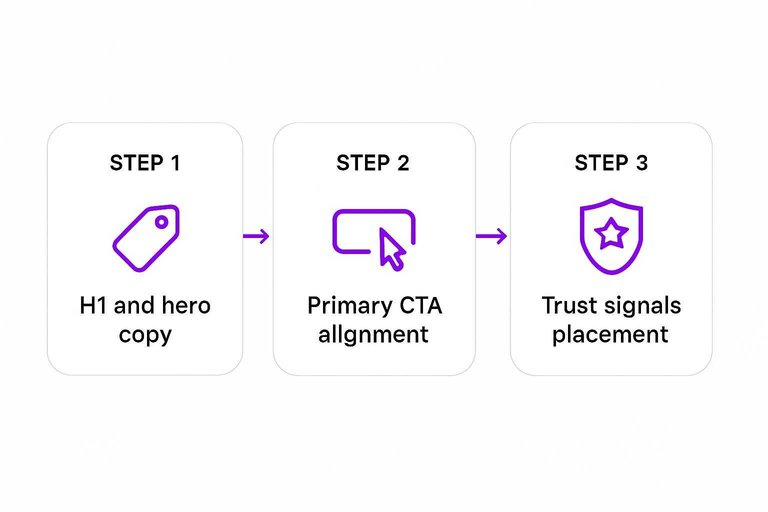
Primary CTA alignment
Your hero should ask for one commitment, not five.
- Use one primary CTA button.
- Add one secondary text link.
- Remove competing header CTAs.
- Match CTA copy to intent.
One clear action beats “choice” every time.
Trust signals placement
Put proof where doubt starts, which is right below the headline.
A hero with “Book a call” converts better when it also shows “4.8★ from 312 reviews” or recognizable client logos. Add certifications, a simple guarantee, and clear contact details for local or YMYL pages.
If trust is below the fold, you’re paying a tax on every click.
Content blocks that rank
You don’t need more words. You need the right blocks, in the right order, written the way top results already teach readers.
Think “scan-first.” A one-page site can still answer, prove, and convert if each section earns its spot.
Section ordering
Use an order that matches how searchers decide. It keeps readers moving and makes your page easy to parse.
- State the problem in the visitor’s words.
- Present your solution in one clear promise.
- Show proof with results, logos, or a quote.
- Add details: process, features, specs, scope.
- Address objections: price, fit, time, risk.
- Close with a single CTA and next step.
If your sections jump around, users bounce before Google even gets signals.
Answer mini-questions
Hide small answers inside your sections. They capture long-tail queries without turning your page into an FAQ landfill.
Example: In your pricing block, add lines like “Do you offer monthly plans?” or “What’s included in setup?” Then answer in one sentence.
Those tiny answers become ranking hooks. And they keep the page skimmable.
Media with purpose
Media should clarify meaning, not decorate the fold. Use it to prove, explain, or reduce reading time.
- Compress images before upload
- Write descriptive surrounding text
- Avoid text-only images for key points
- Add captions that explain “why”
- Use video only with a takeaway
If media can’t rank or convert, it’s just weight. Use Google’s image SEO best practices to make visuals easier to understand and surface.
Internal linking setup
On a one-page site, internal links do two jobs: help users jump fast and help crawlers map relevance. Your anchors, nav, and supporting pages decide where authority concentrates and where it leaks.
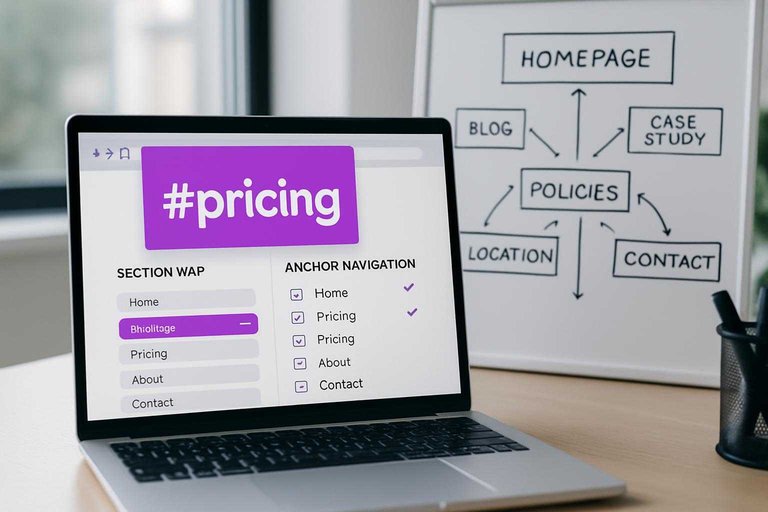
Anchor navigation rules
Jump links only work when your anchors stay stable across redesigns.
They also need to read like real topics, not random IDs.
- Assign one unique ID per section and never reuse it.
- Use readable slugs like “#pricing” instead of “#section-3”.
- Keep IDs lowercase and hyphenated for consistency.
- Avoid duplicate anchors created by repeated components or blocks.
- Update any old links when you rename an ID.
Treat anchor IDs like permanent URLs, because that’s how Google treats them.
Links to supporting pages
Supporting pages give your one-pager depth without bloating it.
They also create clean targets for long-tail queries.
- Link to blog posts for specific questions.
- Link to case studies for proof and detail.
- Link to policies for compliance and trust.
- Link to location pages for local intent.
- Link to a contact page for real-world signals.
If you can’t justify a separate page, you probably can’t rank for that topic—use a short list of resources to simplify SEO workflows to keep those supporting links consistent and easy to maintain as you scale.
Don’t trap crawlers
If your key copy lives only inside tabs, accordions, or JS-only states, crawlers can miss it. Keep critical content in the initial HTML, and make sure important links appear as real elements, not click handlers.
That’s the line between a page that renders and a page that ranks.
On-page technical checklist
One-page sites win or lose on crawl signals and structure, not page count.
Use this 17-point technical checklist before you chase backlinks—and if you want the bigger picture beyond the checklist, see our complete SEO guide.
| # | Item | Target | Quick check |
|---|---|---|---|
| 1 | Title tag | 50–60 chars | One primary term |
| 2 | Meta description | 140–160 chars | Clear benefit line |
| 3 | Canonical tag | Self-referencing | Single preferred URL |
| 4 | Robots meta | index,follow | No accidental noindex |
| 5 | H1 | One only | Matches intent |
| 6 | H2 structure | 3–8 H2s | Logical sections |
| 7 | Anchor IDs | Unique, stable | No duplicates |
| 8 | Internal anchors | Descriptive labels | Avoid “click here” |
| 9 | URL consistency | One version | HTTPS + trailing rule |
| 10 | Redirects | Clean 301s | No chains |
| 11 | XML sitemap | Includes homepage | Lastmod updates |
| 12 | Robots.txt | Allows crawl | Sitemap listed |
| 13 | Structured data | Organization/LocalBusiness | Valid in Rich Results |
| 14 | Open Graph tags | Title, image, url | Social previews correct |
| 15 | Core Web Vitals | Pass all | Field data green |
| 16 | Image attributes | Alt + width/height | No layout shift |
| 17 | Indexation check | Indexed once | site: query sanity |
On a one-page site, these are your “multiple pages.” Get them right, then scale content depth inside sections.
Run the Checklist, Then Iterate on the One Page That Matters
Treat your one-page site like a set of mini-pages: one primary keyword, clear intent modifiers, and a dedicated section that earns each promise you make. Work top-down—fix above-the-fold relevance first, then strengthen the supporting blocks, internal links, and technical details from the table. After launch, watch section-level engagement and conversions, refresh weak blocks, and only add new pages when the data proves the one-page format is holding you back.
Turn One Page Into Traffic
A tight one-page SEO setup is a great start, but earning consistent rankings usually takes fresh, keyword-targeted content and steady authority building.
Skribra helps you publish SEO-optimized articles daily—with meta descriptions, formatting, WordPress publishing, and backlink exchange support—so your one-page site keeps growing; try the 3-Day Free Trial.
Written by
Skribra
This article was crafted with AI-powered content generation. Skribra creates SEO-optimized articles that rank.
Share: