March 31, 2026
·
9 min read
Build Your SEO Tool Stack: 15-Step Weekly Checklist
A 15-step weekly checklist for building and running a reliable SEO tool stack—define Friday outcomes, choose stack categories with fit rules, map each step to the right tool, set fast baselines with conventions and alerts, and keep a tight technical + content QA loop that ships improvements every week.

If your SEO “stack” feels like a pile of logins, you’re not alone—most teams buy tools before they’ve defined what must be true by Friday. The result is noisy dashboards, missed issues, and content that ships without clear proof it worked.
This checklist turns your tools into a repeatable weekly operating system. You’ll know which category each tool should cover, how to set baselines fast, what to verify in technical QA, and how to run a content production loop that avoids wasted briefs and last-minute surprises.
Weekly Stack Overview
Your weekly SEO stack should behave like a production line, not a toolbox drawer. You run 15 repeatable steps, and each step produces an output you can point to, like “15 redirects shipped” or “three pages refreshed.” Tools only matter where they reduce uncertainty or speed up decisions.
Outcome By Friday
You need a Friday finish line, or your week turns into open tabs and half-decisions.
- Ship top three fixes or tasks
- Close critical crawl errors
- Queue next content updates
- Capture baseline and deltas
- Send one-page weekly report
If you can’t prove an output, you didn’t do the step.
Stack Categories
Use one primary tool per category, then add specialists only when a step breaks.
| Step area | Tool type | Core output | Frequency |
|---|---|---|---|
| Performance | Analytics | conversions, segments | weekly |
| Visibility | GSC | queries, pages | weekly |
| Technical | Crawler | issues, templates | weekly |
| Rankings | Rank tracker | keywords, trends | weekly |
| Discovery | Keyword suite | clusters, intent | weekly |
| Publishing | Content tool | briefs, updates | weekly |
| Authority | Link tools | prospects, gaps | weekly |
| Stakeholders | Reporting | narrative, actions | weekly |
If two tools produce the same output, one of them is hobby spending.
Tool Fit Rules
Pick tools like you pick monitoring in production systems. You want trustworthy numbers, broad coverage, and fewer handoffs.
Accuracy comes first, because “the tool said so” is not a strategy. Coverage and integrations decide whether your workflow stays weekly or becomes a migration project, and budget plus learning curve set the real adoption ceiling.
Common Stack Mistakes
Most SEO stacks fail from duplication and missing baselines, not missing features.
- Buy overlapping tools for same job
- Chase vanity metrics over outcomes
- Skip baselines and deltas
- Export spreadsheets by hand
- Ignore log files and GSC
Fix measurement and flow first, then add tooling.
15-Step Weekly Checklist
You need a weekly loop that turns SEO data into shipped fixes. Every step ends with a deliverable you can point to in a tool, doc, or PR.
- Export last 7 days of GSC queries and pages to a sheet.
- Pull GA4 landing page sessions and conversions for the same window.
- Snapshot rank tracking for your priority keyword set.
- Run a crawl and save the issues export with timestamps.
- Check index coverage and collect newly excluded URLs.
- Review Core Web Vitals trends and list failing templates.
- Diff last week’s top pages and flag drops over your threshold.
- Map each drop to a cause bucket: tech, content, links, SERP.
- Draft 3-5 hypotheses with one metric each to validate.
- Create a prioritized backlog with effort, impact, and owner.
- Open tickets or PRs with acceptance criteria and screenshots.
- Ship the top technical fix and record the deploy reference.
- Ship the top on-page update and record the URL diff.
- Request indexing for key URLs and log request outcomes.
- Publish a weekly report with wins, losses, and next bets.
If you can’t attach a link or file to a step, it isn’t a step yet.
Step Tool Map
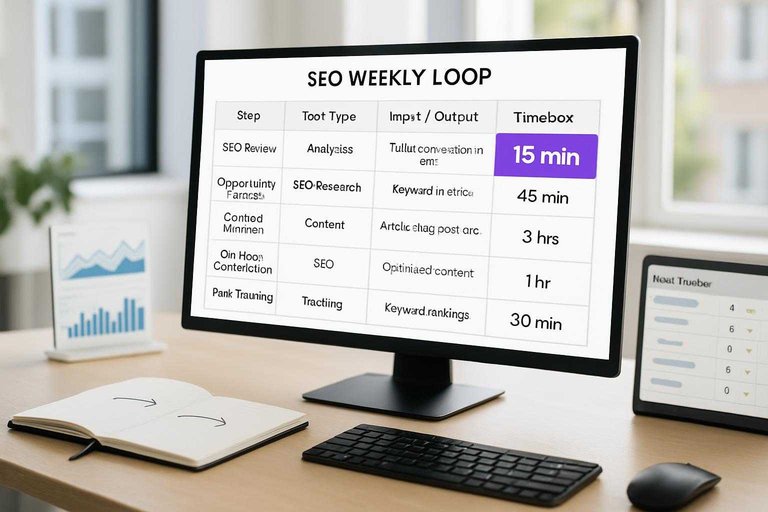
Use this map to pick one tool per step and keep the weekly loop tight. Your goal is repeatable inputs, clear outputs, and a real timebox. If you want more ideas on choosing lightweight tools, see resources to simplify SEO workflows.
| Step | Tool type | Inputs | Outputs | Timebox |
|---|---|---|---|---|
| 1 | Analytics dashboard | Traffic, conversions | KPI snapshot | 15 min |
| 2 | Rank tracker | Target keywords | Rank deltas | 20 min |
| 3 | GSC + log insights | Queries, crawl stats | Crawl issues list | 20 min |
| 4 | Site crawler | URL list | Tech fixes queue | 45 min |
| 5 | Page speed tool | Key templates | Speed priorities | 30 min |
| 6 | Keyword research tool | Seed terms | Keyword clusters | 45 min |
| 7 | SERP analyzer | Top queries | Intent notes | 30 min |
| 8 | Content audit sheet | URLs, metrics | Keep/update/kill | 45 min |
| 9 | Briefing template | Cluster, intent | Content brief | 30 min |
| 10 | On-page optimizer | Draft URL | On-page checklist | 30 min |
| 11 | Internal link tool | Important pages | Link targets | 30 min |
| 12 | Backlink monitor | Referring domains | Link gaps | 20 min |
| 13 | Outreach CRM | Prospects | Contacted list | 45 min |
| 14 | QA checklist | Staging pages | Publish-ready set | 30 min |
| 15 | Reporting doc | Outputs, notes | Weekly changelog | 30 min |
Treat any step without a clean output as a hobby, not a system.
Set Baselines Fast
Baselines stop your weekly SEO work from turning into vibes. You need one “starting line” so changes are comparable and alerts aren’t noise.
Example: “CTR dropped” matters only if you know last week’s CTR, by device and page group.
Baseline Metrics
Pick a small set of baselines you can pull the same way every week. Use the same source and date range, or the numbers won’t match.
- Track clicks by page group
- Track impressions by query theme
- Track CTR by device
- Track average position by template
- Track indexed pages, errors, CWV, conversions
When a metric moves, you’ll know where to look first. (For a clear breakdown of what comes from GSC vs GA, see Google’s docs on Search Console and Google Analytics data.)
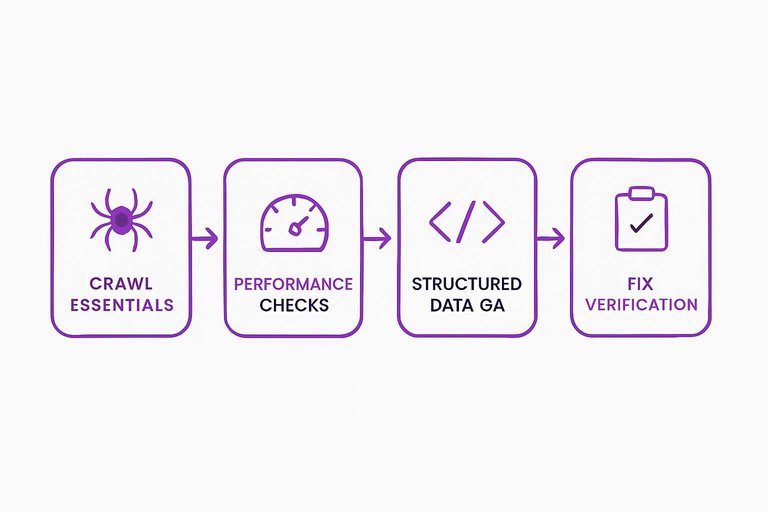
Technical QA Loop
Technical QA is your weekly guardrail. It catches hidden issues before content and links waste effort.
Think of it as your “pre-flight check” for crawling, rendering, and indexing.
Crawl Essentials
Run these checks before you trust any ranking lift. Most SEO losses start with basic crawl signals drifting quietly.
- Sample key URLs for 200/3xx/4xx/5xx patterns
- Verify canonicals match indexable preferred URLs
- Spot robots/noindex conflicts on important templates
- Check sitemap freshness, coverage, and invalid URLs
- Detect duplicate clusters and parameter crawl traps
If two checks disagree, Google will pick the stricter one.
Performance Checks
Speed is a template problem, not a single-URL problem. Your job is to find the worst offenders fast, then ship small fixes.
Pull CWV and speed data by template group, then isolate the top two slow templates. Fix the cheapest bottleneck first, like oversized images or third-party scripts.
When budgets are clear, prioritization stops being a debate.
Structured Data QA
Schema breaks quietly, then rich results disappear. A quick validation loop keeps eligibility stable across releases.
- Validate schema types on key templates.
- Check required properties for each rich result.
- Confirm rich result eligibility in testing tools.
- Log errors and warnings by template trend.
- Re-test after deployment on live URLs.
Treat schema like code, not content.
Fix Verification
Fixes don’t count until you can prove they shipped. Your checklist should make rollback and audits painless.
- Recrawl affected URLs and confirm the signal changed
- Run GSC validation and note the start date
- Capture before/after screenshots or HTML snippets
- Link the dev ticket, PR, and QA notes
- Record deployment time, environment, and config changes
If you can’t reproduce it, you can’t defend it.
Content Production System
You need a weekly system that turns SERP evidence into publish-ready work, not a pile of “good ideas.” Think of it like an assembly line: keywords in, briefs out, updates shipped. When someone asks, “Why did we publish this?” you can point to the data.
Keyword Triage
Pick targets fast, with rules that stop debate and protect focus.
- Score intent: buy, compare, learn, or troubleshoot.
- Check difficulty: pages ranking, link profiles, SERP stability.
- Assign business value: revenue tie, lead quality, retention impact.
- Decide format: new page, refresh, merge, or delete.
- Log the bet: target URL, query set, and publish week.
If you can’t name the URL, you don’t have a keyword yet.
SERP Pattern Rules
Use the SERP as your content spec, not as “inspiration.”
- Match page type: guide, category, tool, or comparison.
- Mirror headings: H2 topics that repeat across winners.
- Capture entities: brands, standards, definitions, key attributes.
- Include FAQs: repeated questions and “People also ask” themes.
- Meet link expectations: internal hubs and obvious sibling pages.
When you see the same structure five times, it’s a requirement.
Brief Template
Keep briefs boring, consistent, and easy to audit.
| Field | What goes here | Example |
|---|---|---|
| Goal | outcome + metric | “demo requests” |
| Queries | primary + secondary | “crm for solopreneurs” |
| Outline | H1–H3 plan | “setup, pricing” |
| Entities | terms to include | “Zapier, SMTP” |
| Links | internal + external | “/pricing, docs” |
| A brief you can’t hand off isn’t a brief, it’s a thought. |
Update QA Pass
Run one QA pass before publish, every time, even on “small” edits. Use a fixed checklist so you don’t rely on memory—this SEO content streamlining checklist is a solid reference point.
Check title and H1 alignment, then confirm indexing signals like canonicals and noindex tags. Verify internal links, image alt text, EEAT cues like author and sources, and scan for cannibalization by searching your own site.
The goal is fewer surprises after Google recrawls, not perfect pages.
Run the Stack Like a Weekly System
- Pick your “Outcome by Friday” and timebox the week (what ships, what gets verified, what gets deferred).
- Run the 15-step checklist end-to-end, using the Step Tool Map so every action has a single owner tool.
- Refresh baselines and alerts, then close the loop with technical fix verification and a final content QA pass.
- Log what changed, what moved (rankings, traffic, errors, speed), and update next week’s checklist based on what your stack actually caught.
Turn Your Stack Into Output
A weekly SEO tool stack only pays off when it drives consistent publishing and clean technical QA without eating your team’s bandwidth.
Skribra turns your checklist into a repeatable content production system with SEO-optimized articles, WordPress publishing, and built-in backlink exchange—start with the 3-Day Free Trial.
Written by
Skribra
This article was crafted with AI-powered content generation. Skribra creates SEO-optimized articles that rank.
Share: