March 18, 2026
·
8 min read
How SEO paid tools turn crawls into metrics
An explainer of how paid SEO tools translate crawling into decision-ready metrics—understand the crawl-to-metric pipeline, scope controls, atomic checks and rollups, why tool scores disagree, and how issue clustering drives prioritization.

You run a crawl and get a dashboard full of scores, warnings, and “critical” issues—but what actually happened between the bot hitting your site and that final number?
This explainer walks you through how paid SEO platforms turn raw page facts into metrics you can act on. You’ll see the crawl-to-metric pipeline, how scope settings change what gets measured, how checks become rollups and severity, why tools disagree, and how clustering logic groups thousands of URLs into a few fixable root causes.
Crawl-to-metric pipeline
Paid SEO tools turn the messy web into clean numbers by running a predictable pipeline. A crawl becomes “issues” and “scores” only after URLs are found, fetched, parsed, stored, and rolled up into aggregates like “% pages missing titles.” Think of it as log collection that ends in a dashboard, not magic.
Discovery and queuing
Tools start with a small set of entry points, then expand outward while rationing crawl budget. The goal is coverage with intent, so your important URLs get visited early and often.
A typical crawl queue gets built and prioritized from:
- Seed URLs you provide
- XML sitemaps and sitemap indexes
- Backlink targets the tool already knows
- Internal links discovered during crawling
- Rules like depth, URL patterns, and “last seen” dates
If “issues” feel random, look at the queue first; it decides what reality the tool sees.
Fetching and rendering
Once a URL is queued, the tool has to decide how to fetch it. That choice changes what the crawler can actually observe, especially on JS-heavy pages.
Most tools pick between two modes:
- HTML fetch: fast, cheap, misses client-rendered content
- Headless rendering: slower, expensive, closer to Chrome
JS can hide links, rewrite canonicals, or delay titles until scripts run. Cookies, geo, and blocked resources can also produce a “crawler view” that no user sees.
If a page “looks fine in the browser” but fails in the tool, rendering mode is usually the culprit.
Parsing and extraction
After the response comes back, the tool turns markup into fields it can count. Extraction is where pages become rows in a database.
What tools typically extract:
- Canonicals and hreflang
- Titles, meta robots, headings
- Internal and external links
- Structured data types and errors
- Status codes and redirect targets
Extraction defines your metrics. If it isn’t parsed, it can’t become a score.
Normalization and storage
Raw crawl output is noisy, so tools normalize before they measure. The goal is one stable “truth” per page, even when the web serves duplicates.
Normalization usually includes URL cleaning, deduping near-identical pages, and picking a canonical representative. Everything gets timestamped because “broken” is often time-bound, like a 500 that lasted ten minutes.
If you want reliable trend charts, you need boring storage rules more than clever scoring.
Crawl scope controls
Your tool can only score what it sees. Scope settings decide what gets seen, which quietly defines every “% of pages” metric downstream.
Think of it like saying “scan only the first 50 aisles.” The stock report looks precise. It’s also incomplete. For ways to streamline how you manage these settings and related checks, see resources to simplify SEO workflows.
Budget and depth limits
Every crawl has a budget, even when you don’t call it that. Max URLs, depth, host rules, and concurrency decide how much of your site becomes the dataset.
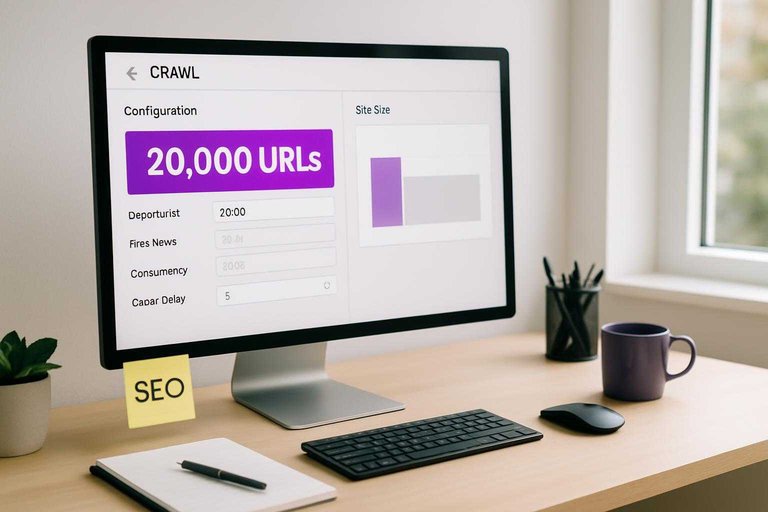
If you cap at 20,000 URLs on a 2M URL site, you’re not measuring the site. You’re measuring the first 20,000 URLs discovered. Depth limits skew toward hubs and templates, while strict host rules can drop whole storefronts or language folders.
Treat issue rates as “issue rates within this crawl shape,” not universal truth.
Allow/deny rules
Inclusion rules are silent editors. You’re not just avoiding noise. You’re rewriting what “the site” means.
- Respect robots.txt or ignore it
- Exclude paths like /search/ or /tag/
- Normalize or strip URL parameters
- Include or drop subdomains
- Allow only canonical URLs
If a section disappears here, its problems disappear everywhere else too.
Sampling strategies
Large sites often get sampled because crawling everything is expensive. Sampling stabilizes runtime and credits, but it turns exact counts into estimates.
A “10% sample” might be per directory, per template, or based on discovery order. That choice changes which issues show up most, especially rare problems like broken hreflang clusters. Percentages can look steady while the sample quietly rotates.
When you see clean-looking percentages, ask what the sample frame was.
Freshness and recrawl
Crawls are time-bound snapshots, not live telemetry. Recrawl intervals, change detection, and stored history decide what counts as “new,” “fixed,” or “still broken.”
If a tool only recrawls deep pages monthly, “new issues” will cluster around frequently recrawled sections. Change detection can also skip pages that “seem unchanged,” which is great for efficiency and bad for catching flaky rendering or intermittent 5xx responses.
Trends are real only if the recrawl policy stays consistent.
From facts to metrics
A crawl gives you raw observations: status codes, tags, word counts, and directives. Tools turn those facts into computed fields so you can sort, filter, and argue about “health” instead of URLs. For a broader framework on turning crawl data into actionable SEO work, see this SEO guide.
Atomic checks
Atomic checks convert messy HTML and responses into simple yes/no flags you can aggregate later. They’re blunt on purpose, like a linter rule that says “fail” or “pass.”
- Flag missing or empty
</li> <li>Flag non-200 status codes</li> <li>Flag <a href="https://developers.google.com/search/docs/crawling-indexing/robots/robots_txt">robots.txt blocked URLs</a></li> <li>Flag meta robots “noindex” pages</li> <li>Flag thin content via word-count proxy</li> </ul> <p>Binary checks are cheap to compute, so tools create lots of them.</p> <h3>Aggregations and rollups</h3> <p>Once you have page-level fields, tools roll them up by folder, template, or segment like “/blog/” versus “/product/.” You’ll see counts, percentages, medians, and distributions because “1,200 pages” is useless without context, like “18% non-200 in /category/.”</p> <p>Averages hide pain, so good tools expose spread: percentile word counts, status-code breakdowns, and indexability by template. That’s where you spot one broken pattern, not a thousand “random” errors.</p> <h3>Weighting and scoring</h3> <p>Tools invent weights because you can’t prioritize 40 checks at once. A “health” score compresses many signals into one number, usually by multiplying each check’s failure rate by an assigned importance.</p> <p>The weights are opinion dressed as math, like “broken canonicals matter more than missing alt text.” Treat the score as a sorting hint, not a KPI you defend in a meeting.</p> <h3>Severity thresholds</h3> <p>Thresholds turn continuous signals into labels so your backlog can say “warning” or “error.”</p> <ol> <li>Pick a signal like word count, response time, or crawl depth.</li> <li>Choose cutoffs, like <200 words or >3 seconds.</li> <li>Assign states: OK, warning, error.</li> <li>Apply exceptions for templates, like login or filters.</li> <li>Recompute after each crawl and re-label pages.</li> </ol> <p>One pixel of change near a cutoff flips the state, so expect noisy swings.</p> <h2>Why metrics disagree</h2> <p>Two SEO tools can crawl the same site and still disagree on “pages,” “errors,” or “indexability.” They aren’t measuring the web. They’re measuring their crawl decisions.</p> <p>One table makes the internal causes obvious.</p> <table> <thead> <tr> <th>Internal factor</th> <th>Tool A choice</th> <th>Tool B choice</th> <th>What changes</th> </tr> </thead> <tbody> <tr> <td>Crawl scope</td> <td>Includes subdomains</td> <td>Root only</td> <td>Page count</td> </tr> <tr> <td>URL normalization</td> <td>Keeps parameters</td> <td>Drops parameters</td> <td>Duplicate URLs</td> </tr> <tr> <td>Rendering mode</td> <td>JS rendered</td> <td>HTML only</td> <td>Link discovery</td> </tr> <tr> <td>Canonical handling</td> <td>Counts canonicals</td> <td>Collapses canonicals</td> <td>Indexable totals</td> </tr> <tr> <td>Status interpretation</td> <td>403 as error</td> <td>403 as blocked</td> <td>Error rate</td> </tr> </tbody> </table> <p>If your numbers don’t align, compare settings before you compare conclusions.</p> <p><img src="https://assets.skribra.com/images/6954b95483462c019ddf8ff7/2026-03-17T00:07:28.910Z.jpg" alt="Tool A choice vs Tool B choice comparison across Crawl scope, URL normalization, Rendering mode, Canonical handling"></p> <h2>Issue clustering logic</h2> <h3>Pattern detection</h3> <p>Paid tools don’t treat 4,000 broken pages as 4,000 problems. They look for repeatable patterns like “/blog/*” using the same template, or a CSS selector like “.product-price” missing sitewide.</p> <p>Common heuristics include URL regex grouping, shared HTML fingerprints, and identical DOM paths across pages. If 93% of failures share one template, the “issue” becomes that template, not the URLs.</p> <h3>Root-cause inference</h3> <p>Tools cluster failures, then guess the likeliest cause from the crawl graph and page signals.</p> <ul> <li>Flag redirect chains from hop counts and repeated targets</li> <li>Detect canonical conflicts from cross-canonical patterns</li> <li>Catch hreflang mismatches from reciprocal link validation</li> <li>Infer rendering failures from empty DOM or blocked resources</li> </ul> <p>Treat the “cause” as a hypothesis, then confirm on one representative URL.</p> <h3>De-duplication rules</h3> <p>Clustering fails if you count the same page three times. Tools fold variants like parameters, canonicals, and near-duplicates into one representative URL, so your dashboards don’t inflate.</p> <p>Typical rules include honoring rel=canonical, collapsing known parameter patterns like “?utm_*”, and hashing content blocks to spot “same page, different URL.” If your tool shows one issue instead of five, it’s usually de-dupe doing its job.</p> <h3>Prioritization signals</h3> <p>Tools rank issues so you fix the ones that move outcomes.</p> <ol> <li>Estimate impact with traffic proxies, like clicks or impressions.</li> <li>Weight URLs by link equity, like internal PageRank or backlinks.</li> <li>Boost indexability blockers, like noindex or robots disallows.</li> <li>Multiply by prevalence, like “affects 18% of templates.”</li> </ol> <p>If an issue hits a high-traffic template, it beats a rare edge-case every time.</p> <h2>Use metrics as a compass, not the map</h2> <p>Treat any SEO tool metric as an opinion built from crawl inputs, scope choices, and scoring rules—not a ground truth. When a number changes, trace it back to what was actually crawled (coverage, rendering, recency) and which checks and rollups moved. Then prioritize work from clusters and root causes rather than individual URLs, and use your own business signals (traffic, conversions, templates) to validate what “high severity” should mean for your site.</p> <section class="faq"> <h2>Frequently Asked Questions</h2> <dl> <dt>Which SEO paid tools have the most accurate crawlers for technical SEO audits?</dt> <dd>Most teams trust a combination: Screaming Frog for controlled desktop crawls, Sitebulb for audit insights, and Ahrefs/Semrush for large-scale cloud crawling and backlink context. Accuracy comes from matching crawl settings (user-agent, JS rendering, limits) to how Google actually accesses your site.</dd> <dt>Do SEO paid tools need JavaScript rendering turned on to find technical issues?</dt> <dd>Usually yes for modern JS-heavy sites, because key links and content may not exist in the raw HTML. Turn on rendering only for representative templates or problem areas to avoid slower crawls and inflated “missing content” metrics.</dd> <dt>How often should I run crawls in SEO paid tools for a growing site?</dt> <dd>Weekly crawls work for most marketing sites and ecommerce catalogs, while large or frequently deployed sites benefit from daily scheduled crawls. Run an additional crawl after major releases, migrations, or CMS/template changes to catch regressions fast.</dd> <dt>Can I trust SEO paid tool “health scores” to prioritize fixes?</dt> <dd>Use health scores as a trend and triage signal, not a single source of truth. Prioritize issues that impact indexation, canonicalization, internal linking, and performance, and validate severity in Google Search Console and server logs.</dd> <dt>What’s the fastest way to validate crawl metrics from SEO paid tools against Google’s view?</dt> <dd>Compare tool findings to Google Search Console (Coverage/Pages, Sitemaps, URL Inspection) and your server logs for Googlebot hits. If the tool reports many “not found” or “blocked” URLs but Googlebot never requests them, the metric is usually crawl-scope noise.</dd> </dl> </section> <section class="cta"> <hr /> <h2>Turn Crawl Metrics Into Growth</h2> <p>Once you understand crawl-to-metric pipelines and why tools disagree, the real challenge is acting on those insights fast enough to compound results.</p> <p><a href="https://skribra.com/">Skribra</a> turns your SEO priorities into daily, keyword-targeted articles you can publish straight to WordPress—plus built-in images and backlinks. Keep momentum with a 3-Day Free Trial.</p> </section>
Written by
Skribra
This article was crafted with AI-powered content generation. Skribra creates SEO-optimized articles that rank.
Share: