February 18, 2026
·
Updated August 19, 2026
·
13 min read
Traffic dropped? 13 checks to regain Google rankings
A practical checklist to diagnose and recover a Google traffic drop — triage the impact, distinguish algorithm shifts from penalties, verify indexing/technical health, and prioritize content and link fixes with a 13-check table and recovery validation plan.

Your traffic didn’t “just drop”—it changed for a reason, and guessing usually makes it worse. The fastest recoveries come from isolating what moved (pages, queries, devices, regions), then checking the few systems that actually control visibility: indexing, technical signals, content quality, and links.
This checklist walks you through a tight triage process, shows how to rule out penalties and seasonality, and gives you a 13-check table plus a fix priority matrix so you can pick the highest-leverage actions and prove recovery with the right leading indicators.
Triage the drop
A traffic dip can be real, or it can be your measurement lying to you. Triage first so you fix the ranking problem, not a GA4 problem.
Example: if Search Console clicks are flat but GA4 organic sessions fell, you likely broke tracking or attribution.
Verify analytics data
Check your measurement before you touch content or links.
- Confirm GA4 date range, timezone, and comparison period.
- Review GA4 filters, channel rules, and recent property changes.
- Check Consent Mode impact and tag firing in Tag Assistant.
- Audit tracking code changes, GTM publishes, and CMS template edits.
- Compare GA4 organic sessions to Search Console clicks for the same dates.
If Search Console is steady, treat GA4 as suspect until proven otherwise.
Segment the impact
You need to know what fell first, not what fell loudest.
- Split performance by device: desktop, mobile, tablet.
- Split by country or region, starting with your top markets.
- Split by page type: blog, category, product, landing pages.
- Split by query intent: brand, non-brand, informational, commercial.
- Note the first week each segment dipped, and the steepest segment.
The first segment to fall usually points to the cause.
Rule out seasonality
Some drops are just the calendar doing its job. Compare year-over-year and the last 4–8 weeks, not last week versus this week.
Check for known events: holidays, promos, site outages, price changes, PR spikes, or a big email blast. One “launch day” spike can make the next month look broken.
If the pattern repeats yearly, you’re planning capacity, not debugging SEO.
Inspect SERP changes
Sometimes your rankings didn’t fall much, but the SERP did.
- Look for Local Pack or Maps blocks.
- Look for AI answers or expanded snippets.
- Look for video carousels or Shorts.
- Look for Shopping results or product grids.
- Look for “People also ask” expansion.
If new features appear, your fix may be format, not position.
Algorithm or penalty?
Traffic drops look identical in analytics, but the recovery playbook depends on the cause. A broad update asks for better value; a penalty demands specific cleanup and proof. Pick the wrong path and you’ll polish pages while a manual action keeps you buried.
Check manual actions
Check Search Console first, because it’s the only place Google tells you directly. You’re looking for a named violation and the exact scope.
- Open Search Console → Security & Manual Actions → Manual actions.
- Open Security issues and note any hacked or injected patterns.
- Record the issue type, affected URLs, and any examples provided.
- Fix the specific cause, then submit a reconsideration request with evidence.
If there’s a manual action, nothing else you do will matter until it’s cleared.
Match update timelines
Dates turn guesswork into diagnosis. You want overlap between the drop, known updates, and your own changes.
- Compare drop date to Google Search Status Dashboard events
- Check major update trackers for the same week
- Overlay traffic drop with your release log
- Separate sitewide drops from section-only drops
- Confirm with Search Console performance by query
Correlation is a lead, not a verdict, so verify with page-level evidence.
Look for spam signals
Spam problems often show up as volume spikes, weird URLs, or link patterns that appeared overnight. If the loss aligns with “suddenly more pages” or “suddenly more links,” treat it like contamination, not content quality.
Run a site:yourdomain.com spot-check for junk paths, and scan Search Console’s indexed pages for sudden jumps. Then review backlinks for bursts of exact-match anchors or sitewide footer links you didn’t earn.
If you see index bloat plus odd URLs, assume compromise until you prove otherwise.
Indexing health checks
Your rankings can’t recover if Google can’t find, crawl, or choose your pages. Treat indexing like a pipeline: discovery, crawl, then selection.
A common failure looks harmless: a “minor template change” that quietly adds noindex sitewide. Fix the block, then re-request indexing for the URLs that matter. For a broader framework on diagnosing issues across discovery, crawling, and indexing, see this technical SEO troubleshooting guide.
Coverage and indexing
You’re looking for pages that fell out of the index, or never made it in. Use Search Console buckets to separate “blocked” from “ignored.”
- Open Search Console → Page indexing and scan each bucket.
- Filter for your top landing pages and key templates.
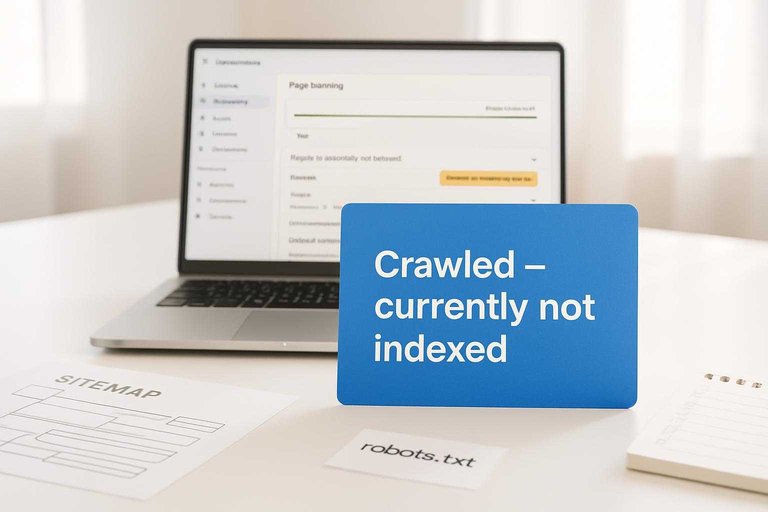
- Prioritize Not indexed and Crawled – currently not indexed for money URLs.
- Open a few examples and note the first common pattern.
- Validate with URL Inspection and check the last crawl date.
If “Crawled – currently not indexed” hits many similar pages, you have a quality or duplication signal problem.
Robots and noindex
Indexing drops often come from one bad rule in one place. You need to check every layer that can say “don’t index this.”
- Audit robots.txt for new disallow rules.
- Scan meta robots for accidental
noindex. - Check X-Robots-Tag headers on key responses.
- Review CMS templates for environment-based directives.
- Confirm nofollow isn’t blocking internal discovery.
One stray noindex on a shared template can erase an entire section overnight.
Canonicals gone wrong
Canonicals tell Google which URL deserves to rank. When they drift, Google starts picking winners you didn’t intend.
Check a sample of important pages and confirm the canonical points to the exact preferred URL. Then verify redirects don’t change that intent, like a canonical to /page that 301s to /page/.
If Google’s chosen canonical differs from yours, fix duplication first, not the tag.
Sitemaps and feeds
Your sitemap is your “please crawl these” list. If it’s stale or polluted, Google wastes budget and ignores the rest.
- Fetch the sitemap URL and confirm 200 OK.
- Check the lastmod values update when pages change.
- Compare submitted vs indexed counts in Search Console.
- Remove non-canonical, redirected, or noindex URLs.
- Resubmit, then monitor crawl spikes over 48–72 hours.
A clean sitemap doesn’t force indexing, but it stops you from fighting yourself.
Technical regressions
Ranking drops often trace back to one change you shipped without noticing. Deployments, migrations, and plugin updates love to create “silent breaks” that only Google reports later. Treat this like incident response: find what changed, prove impact, revert or patch fast.
Redirects and 404s
Audit what used to rank, then follow the trail of status codes.
- Export last 28 days top landing pages from Search Console.
- Crawl that URL list and record final status and destination.
- Flag any 3xx chains, 404s, soft-404s, and 5xx responses.
- Map each broken URL to the closest matching replacement page.
- Ship single-hop 301s, then recrawl and recheck in GSC.
That one-hop 301 is your fastest way to “undo” a bad release.
Core Web Vitals
Speed regressions usually happen at the template level, not the page level.
- Compare CrUX by template for LCP, INP, and CLS deltas.
- Fix missing image dimensions and use responsive srcset.
- Defer or remove third-party scripts on initial render.
- Reduce main-thread work by splitting heavy bundles.
- Preload critical fonts and avoid layout-shifting swaps.
If a single template regressed, you can recover hundreds of URLs at once.
Mobile rendering issues
Google indexes what it can render on mobile, not what you intended.
Run URL Inspection → Live Test on a few dropped landing pages, then open “View tested page” to spot blocked CSS/JS, broken navigation, or content that disappears behind accordions. Look for telltales like “resources blocked by robots.txt” or a menu that never loads.
If the crawler can’t reach your content, your relevance signals vanish even if desktop looks perfect.
Server and crawl budget
You’re looking for signs Google is backing off because your site feels unreliable.
| Signal | Where to check | Bad threshold | Likely cause |
|---|---|---|---|
| Uptime | Monitoring | < 99.9% | Hosting instability |
| TTFB | RUM / logs | > 800ms | DB or app slowdown |
| 5xx rate | Logs | > 0.5% | Crashes, timeouts |
| Crawl stats drop | GSC | > 30% week | Throttling, errors |
| When these thresholds trip, fix infra first or Google will keep crawling less. For a practical comparison of when Search Console vs server logs surface crawl problems faster, see Google Search Console vs log files. |
Content quality regressions
Rankings often drop because your page stopped matching what searchers want today. Competitors shift the angle, Google shifts the blend, and your content quietly becomes the odd one out. Treat this like a regression bug: find the pages that lost queries, then fix the exact mismatch.
Intent mismatch pages
Intent mismatch is when your page answers a different question than the SERP rewards. You fix it by comparing losing queries to the current top results.
- Pull the top losing queries for each page in Search Console.
- Open the live SERP and note the dominant format and angle.
- List missing sections competitors repeat, like pricing or steps.
- Replace outdated framing, like “2022 guide,” with current context.
- Add the format Google prefers, like tools, templates, or comparisons.
Match the SERP’s job-to-be-done, or you’ll keep bleeding clicks.
Thin and duplicate content
Thin and duplicate pages dilute trust and split signals across URLs. You need to decide which pages deserve to exist.
- Cluster near-duplicate pages by title and H1 similarity.
- Flag tag pages with little unique copy.
- Identify programmatic pages with zero original value.
- Consolidate winners into one stronger URL.
- Noindex pages that can’t earn traffic.
One great page beats five “almost the same” pages every time.
E-E-A-T gaps
Trust drops when content feels anonymous, unsourced, or untested. On YMYL pages, that’s the line that gets crossed.
Add a real author bio with credentials and scope. Cite primary sources, link to policies, and show first-hand proof like photos, screenshots, or datasets. Use an essential AI content checklist to standardize quality checks across writers and updates. Update timestamps only when you actually update, then document what changed.
If a human can’t trust it fast, Google won’t either.
Internal cannibalization
Cannibalization happens when two pages compete for the same query. Your authority gets split, and rankings wobble.
- Export queries where multiple URLs get impressions.
- Check which URL ranks higher and wins clicks.
- Pick the primary URL and lock its intent.
- Merge overlapping sections into the primary page.
- Redirect or retarget the secondary page to a different query.
Stop competing with yourself, and your signals get louder.
Link profile triage
Links fail in three predictable ways after a traffic drop: you lose authority, you break internal flow, or you inherit junk. Treat it like incident response, not vibes. Your goal is to tie link changes to the exact week rankings slid.
Lost backlinks
Pull two backlink snapshots, one before the drop and one after it, so you can see what actually disappeared.
- Export “lost links” for the drop window
- Filter by DR, traffic, and topical relevance
- Prioritize links to money pages, not the homepage
- Reclaim via update, redirect fix, or URL correction
- Replace via fresh mentions on similar sites
If the lost links cluster around one page, that page is your first fix.
Internal link decay
Internal links often die quietly during redesigns, taxonomy changes, or “related posts” widget swaps.
- Diff your nav, breadcrumbs, and footer against the last good release.
- Crawl the site and flag orphaned or deep pages that used to rank.
- Restore links from hubs to targets using specific anchors like “pricing for teams”.
- Add contextual links from refreshed posts pointing to the main ranking page.
- Re-crawl and confirm key pages gained internal inlinks and improved depth.
If Google can’t reach your winners fast, it won’t keep them.
Spam link risk
Spam link spikes sometimes correlate with drops, but correlation isn’t guilt.
Pull new and recent links for the drop window, then group by source type and anchor pattern, like “casino” or auto-translated directories.
If the junk is broad, random, and unindexed, document it and move on; if it’s concentrated, keyword-stuffed, and pointing at a few pages, plan cleanup.
13 checks checklist
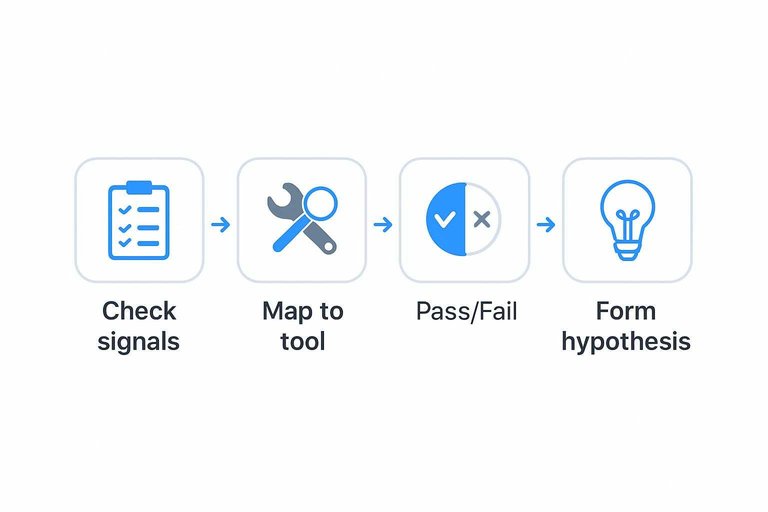
Traffic drops feel random until you put every suspect in one place. Use this checklist to map each check to a tool and a clear pass/fail signal.
| Check | Tool | Pass (good) | Fail (problem) |
|---|---|---|---|
| Manual actions | Google Search Console | No actions listed | Action present |
| Security issues | Google Search Console | No issues shown | Hack/malware flagged |
| Index coverage | GSC Pages | Indexed stable | Not indexed spike |
| Robots.txt changes | robots.txt + GSC tester | Key paths allowed | Key paths blocked |
| Noindex/canonicals | Screaming Frog | Intended indexable | Unexpected noindex/canonical |
| Crawl errors | GSC Crawl stats | Errors flat | 4xx/5xx up |
| Server uptime | Host logs/status | No outage | Outage window |
| Site speed/Core Web Vitals | PageSpeed + CrUX | Mostly “Good” | “Poor” increases |
| Mobile usability | GSC Mobile usability | No errors | Errors added |
| Recent deploy impact | Git/CI + logs | No SEO-impacting diff | Template/meta changed |
| Lost links | GSC Links/Ahrefs | Stable referring domains | Sharp referring drop |
| SERP feature shift | GSC Performance | CTR stable per position | CTR drops same position |
| Competitor displacement | SERP check + rank tool | You still top 3 | New domains outrank |
Treat any single “fail” as your first hypothesis, not your final verdict. For Google’s official workflow, see this guide to debug Search traffic drops.
Fix priority matrix
Use a simple impact-by-effort matrix so you stop auditing and start shipping fixes.
| Fix type | Impact | Effort | Do it when |
|---|---|---|---|
| Indexing blockers | High | Low | Crawl drops fast |
| Internal linking | High | Medium | Pages orphaned |
| Content refresh | High | High | Queries slipped |
| Core Web Vitals | Medium | High | UX warnings persist |
| Title/meta tuning | Medium | Low | CTR fell |
Treat “High impact, Low effort” as your first sprint, not a debate.
Validate the recovery
Recovery is a verification job, not a vibes job. You confirm Google saw your changes, then you watch the first signals that move before clicks. Treat this like a lightweight control loop, or you’ll relive the drop with a different headline.
Request reindexing
Use reindexing to shorten feedback loops on your highest-value URLs, not to brute-force the whole site.
- Inspect the exact canonical URL in Search Console.
- Confirm live URL is reachable and not blocked.
- Click “Request indexing” for priority pages only.
- Submit an updated sitemap, then note submission time.
- Check recrawl and indexing status over the next days.
You’re buying faster confirmation, not guaranteed rankings.
Watch leading indicators
Clicks lag, so you monitor signals that move earlier and correlate with recovery.
- Impressions by page template and query class
- Average position for your top 20 queries
- Crawl stats: requests, response codes, and time
- Indexed pages vs submitted pages in sitemaps
- Notable URLs report for spikes in excluded pages
If impressions recover without clicks, your snippet or intent match is the next constraint.
Close the loop
A recovery that isn’t documented will be undone by the next “quick change.” Write down what broke, what you changed, and how you proved it.
Add a pre-deploy checklist for robots, canonicals, redirects, and templates. Then set alerts for traffic anomalies, 5xx rates, robots changes, and index coverage swings.
The goal is boring, repeatable prevention, not heroic debugging.
Modern SERP shifts that look like a traffic drop (even when rankings didn’t fall)
Not every “traffic drop” is caused by losing positions. In 2024–2026 SERPs, Google can keep you ranking similarly while sending you fewer clicks because the results page itself changed.
This matters if your goal is to rank your site on google and earn traffic: the metric that pays the bills is clicks and conversions, not just average position. Before you rewrite pages or disavow links, check whether your keywords were cannibalized by new SERP layouts, different intent, or brand preference.
A quick diagnostic workflow:
- Pick 10–20 queries that drove the most traffic before the drop.
- In Search Console, compare Clicks, Impressions, CTR, and Average position for those queries and their top landing pages.
- If position is stable but CTR fell, you’re likely dealing with a SERP-layout/intent shift rather than a ranking loss.
AI Overviews and “answer-first” SERPs
AI Overviews (and other answer-first modules) can absorb informational intent at the top of the page. Two patterns are common:
- Impressions hold or rise, clicks fall because the user gets what they need without visiting.
- Your page is referenced but not visited, especially for short, definitional queries.
What to do:
- Segment queries by intent (definition/how-to/comparison/transactional). If most losses are in definition-style queries, shift emphasis toward tasks users still complete on-site (tools, templates, interactive checklists, step-by-step workflows, calculators, diagnostics).
- Make your content “citable” and “actionable.” Add clear entity definitions, tight summaries, and structured sections that a system can pull from—then follow with depth that motivates a click (examples, edge cases, decision trees, downloadable assets).
- Create second-click value: include original visuals, implementation steps, troubleshooting, and “what to do next” sections that an overview won’t fully replace.
Featured snippets and zero-click cannibalization
Featured snippets can steal the click even when you “win” visibility. Sometimes you keep ranking in the top results, but the snippet answers enough that users don’t need to visit.
What to do:
- Decide whether you want the snippet. For some queries, owning the snippet still drives qualified traffic; for others, it satisfies the intent and reduces visits.
- If you want it: use a concise answer block near the top, followed by deeper sections (steps, tables, comparisons) that encourage the click.
- If you don’t: avoid overly complete one-paragraph answers for queries where the user can be satisfied in one screen; lead with context and decisions rather than a single definitive sentence.
Measure it by query: you’re looking for CTR drop without a position drop.
Video, image, and forum-heavy results pushing blue links down
Even without AI Overviews, many queries now trigger video carousels, “Top discussions,” image packs, and other modules that push organic links below the fold.
What to do:
- Match the media type the SERP is rewarding. If video dominates, create a short video that answers the query and embed it on the target page. If images dominate, add original images with descriptive filenames and alt text.
- Integrate multi-format content on the same URL you want to rank (video + transcript + key steps) so the page can compete across modules.
- Optimize for the module, not just the keyword: for video, use clear titles, on-screen topic alignment, and chapters; for images, use context-rich captions and surrounding text.
Local packs and maps results stealing transactional clicks
For location-intent queries (even implied location), local packs and Maps can absorb a large share of clicks. You may still rank, but the clicks go to the pack.
What to do:
- Check whether queries gained local intent. Words like “near me” aren’t required—many services and product queries now default to local results.
- If local matters to your business: strengthen your Google Business Profile, ensure consistent NAP details, and build location-specific pages that answer local questions.
- If local doesn’t matter: clarify national/global positioning on the page (shipping/service coverage, online-first proposition) and target queries that signal non-local intent.
Brand and intent shifts: Google changing what it thinks the query means
Google frequently reinterprets intent. A query that used to be informational can become comparison-focused, product-led, or brand-dominated. This can reduce clicks to generalist content even if it remains “relevant.”
What to do:
- Re-check the current top results for your core queries. Are they now ecommerce pages, category pages, tools, or brand homepages instead of guides?
- Align the page type to the intent:
- Informational SERP → guide, tutorial, glossary, explainer.
- Comparison SERP → alternatives, pros/cons, decision criteria, tables.
- Transactional SERP → category/service page with pricing cues, trust signals, and conversion paths.
- Address “why this brand” signals: add author/editorial transparency, clear “about” context, customer support info, and evidence of real-world use (screenshots, workflows, demos). These elements help when Google’s results skew toward known entities.
How to tell SERP change vs true rank loss in Search Console
Use these patterns to avoid chasing the wrong fix:
- CTR down, position flat → SERP layout changed (AI Overviews/snippets/packs) or competing module appeared.
- Impressions down, position down → likely rank loss (content, links, technical, algorithmic).
- Impressions up, clicks down → you’re being shown more often but attracting fewer clicks (module cannibalization, intent mismatch, weaker titles).
Practical next steps:
- In GSC, review Search appearance (when available) and compare periods for affected pages.
- Break analysis into query groups (informational vs transactional, local vs non-local, brand vs non-brand).
- Update titles/meta descriptions only after you confirm the issue is CTR/SERP-driven, not a position drop.
Prove the Fix and Lock In the Recovery
- Implement the highest-impact fixes first using your priority matrix (indexing blockers, broken redirects/404 spikes, major intent mismatches).
- Request reindexing strategically for affected templates and top URLs after fixes ship; resubmit updated sitemaps if coverage changed.
- Track leading indicators weekly: indexed pages, crawl stats, impressions and average position (GSC), top query/page winners vs. losers, and cannibalization resolution.
- Confirm durable recovery when rankings and clicks stabilize for 2–4 weeks across key segments—and document the cause, fix, and guardrails so the same regression doesn’t return.
Frequently Asked Questions
- How long does it take to rank your site on Google again after a traffic drop?
- Most sites see early recovery signals in 2–6 weeks (re-crawling, re-indexing, impressions) and meaningful ranking movement in 6–12 weeks, assuming the root cause is fixed and Google reprocesses the affected pages.
- Do I need to publish new content to rank your site on Google again, or can I fix existing pages?
- You can often recover by improving existing pages—refresh the main content, tighten keyword-to-intent alignment, and fix internal linking—without publishing net-new articles, especially if the drop hit previously strong URLs.
- How do I measure whether my rankings are coming back without obsessing over daily position changes?
- Track weekly trends in Google Search Console for impressions, clicks, average position, and query/page coverage, then confirm with a rank tracker on a stable keyword set; the best early indicator is rising impressions on the same pages that dropped.
- Can internal linking alone help rank your site on Google after rankings fall?
- Often, yes for mid-tier pages: improving internal links from high-authority pages, fixing orphaned URLs, and using descriptive anchor text can restore crawl paths and relevance signals, but it won’t override major content or technical issues.
- What if my site didn’t get a manual action but still can’t rank on Google anymore?
- Most drops without a manual action come from algorithmic reassessment, indexing/crawl changes, or sitewide quality signals; focus on restoring indexability, eliminating technical regressions, and updating pages to match current SERP intent.
Turn Checks Into Rankings
Running the 13 checks is the easy part; fixing issues and publishing consistently enough to regain momentum is where most sites stall.
Skribra helps you rebuild traction with daily SEO-optimized content, WordPress publishing, and a backlink exchange network—plus a 3-Day Free Trial.
Written by
Skribra
This article was crafted with AI-powered content generation. Skribra creates SEO-optimized articles that rank.
Share: