September 4, 2026
·
22 min read
How Autoblogging Works: Advanced Quality and Indexing Signals
This explainer settles why autoblogged pages get published but don’t index or stick — discovery-through-links and the crawl→render→index refresh loop, scaled content abuse vs scraping and provenance signals, crawl budget and URL inventory control with canonicals/sitemaps/robots, raw-vs-rendered indexability tests (blocked resources, render-only links), indexing requests (IndexNow vs Google) plus an ops triage loop using URL Inspection API quotas, so teams can run autoblogging safely at volume in Skribra or any stack.

You turn on autoblogging to publish at scale, and a week later half the URLs are still invisible in search—even though they’re live on your site. At scale, the pain isn’t writing—it’s discovery, crawling, rendering, and whether the pages qualify to be indexed.
This explainer gives you the real lifecycle to debug, the quality tripwires that make automation look like “scaled” spam, and the technical constraints that quietly cap indexing. You’ll also see how duplicate URL sets and canonicals distort what gets crawled, how JavaScript templates fail in “rendered” reality, and why IndexNow doesn’t equal Google indexing—so your triage focuses on patterns, not one-off URLs.
Lifecycle, Not Posts
Autoblogging fails when you treat it like a slot machine: write → publish → rank. Search doesn’t work on “posts.” It works on a lifecycle, and automation usually breaks at one of the gates.
If you’re asking “Is blogging still worth it in 2026?” the only honest answer is: it’s worth it if your pages reliably make it through discovery → crawl → render → index → rank → refresh. Blogging isn’t a dead trend; low-value, unoriginal pages are what’s being squeezed out. Google said its March 2024 core update plus previous efforts would reduce low-quality, unoriginal results by 40%, which is a strong signal that “publish more” is the wrong strategy.
Autoblogging, in practice
Auto-blogging is an automated supply chain for content: the system researches topics/keywords, drafts the page, publishes it, and then updates or expands it over time based on performance signals. That last part matters, because search is not a one-time event.
Automation itself isn’t the issue. Google’s stated line is that using automation (including AI) to generate content primarily to manipulate rankings violates spam policies; the problem is intent and value, not the tool.
What has replaced blogging? Distribution channels (video, social, communities, newsletters) can replace “the blog” as your audience hub, but they don’t replace searchable, indexable pages. If you want demand from search engines, you’re still building pages that can be found, processed, and kept in the index.
Discovery is links
Discovery is how a search engine finds a URL exists. Google’s SEO Starter Guide says the vast majority of new pages it finds are through links, so autoblogging has to behave like an internal linking system, not just a publishing system.
Your autoblog can control discovery inputs like:
- Internal links from existing pages (especially high-traffic pages) so new URLs get found quickly.
- Hub/pillar placement so posts aren’t orphaned in chronological archives.
- Consistent topic clusters so each new page has clear neighbors to link to and from.
- Navigation and “related content” blocks that expose new URLs without requiring a search engine to guess.
If new pages only exist in your CMS “latest posts” view, you’ve built a publishing machine, not a discovery machine.
Crawl → render → index
“Published” is just your CMS saying the URL is live. Search has multiple gates after that.
-
Crawl (fetch the URL): Google allocates crawl budget—the set of URLs it can and wants to crawl. Even then, not every crawled page is indexed; Google still has to evaluate it and decide whether it belongs.
-
Render (execute JavaScript): Rendering is Google’s headless Chromium processing step that runs JavaScript to produce rendered HTML. If your important content or links only appear after JS runs—and your JS files or pages are blocked—Google may not render what you think it will.
-
Index (store it for retrieval): Indexing is the decision point. If a page is duplicative, thin, or looks like scaled content abuse (Google’s term for generating many pages mainly to manipulate rankings rather than help users), it can stall here.
Also: be careful with “auto-indexing” claims. IndexNow is a push protocol for participating search engines, but Google does not support IndexNow—so it can’t be your plan for Google visibility.
Refresh loop
Autoblogging only works when it manages your URL inventory over time, not just output volume.
A workable refresh loop looks like:
- Update winners: refresh titles, facts, and internal links on pages that already earn impressions.
- Consolidate overlaps: merge near-duplicates instead of letting dozens of similar pages compete.
- Prune dead weight: remove or de-emphasize pages that don’t deserve crawl and evaluation.
- Reshape internal links: keep hubs current as you add, merge, and remove content.
The punchline: “autoblogging” is really automation across the lifecycle. If a tool’s feature list doesn’t map to these gates, it’s not an SEO system—it’s a content printer.
Autoblogging, in practice
Defines autoblogging as automated research→write→publish→update; answers “worth it / dead / replaced” in the context of indexable pages and stricter filtering.
Discovery is links
Lists discovery inputs an autoblog controls, anchored to Google’s statement that most new pages are found through links.
Crawl → render → index
Steps through the gates and distinguishes published vs crawled vs rendered vs indexed; includes IndexNow/Google mismatch.
Refresh loop
Lists the ongoing maintenance actions that keep an autoblog indexable as inventory changes.
Quality Gatekeepers
At small scale, “quality” feels like copyediting: grammar, readability, maybe a keyword check. At autoblogging scale, quality is mostly about policy boundaries and provenance—whether your pages look like a system built to help users, or a system built to manufacture rankings.
Google Search Central’s spam policies are written like legal language, but you can turn them into QA rules your pipeline enforces before a URL ever ships. Treat the spam-policy lines—scaled content abuse, scraping, and Google’s site reputation policy—as pre-publish checks: you want automation that behaves like publishing, not like manipulation.
Scaled content abuse
Scaled content abuse (Google’s term for producing many pages mainly to manipulate rankings rather than help users, regardless of whether humans, automation, or both created them) is the line you cross when “more pages” is the strategy.
In practice, this isn’t a grammar problem. It’s an intent-and-inventory problem.
A useful QA way to frame it:
- Fail if the page only exists because the system can generate it. If the reason a URL exists is “we had a keyword and a template,” you’re building output, not information.
- Fail if the page’s primary payload is interchangeable. If you could swap it with a similar page on your site (or on another site) without losing meaning, it’s not pulling its weight.
- Fail if the page’s purpose is to create many entry points, not one good destination. When your system produces dozens of near-parallel pages where one strong page would serve the intent, the pattern starts to look like scaled abuse.
That’s the gatekeeper mindset: you’re not judging whether a page is “good.” You’re judging whether the pattern of pages signals “publishing” or “manufacturing.”
Scraping and stitching
Google’s spam policies define scraping as taking content from other sites (often automated) to manipulate rankings, and they call out specific examples. Those examples map cleanly to common autoblog failure modes.
Here are the ones worth turning into hard QA “fails,” with the autoblog version spelled out:
- Republishing content without adding original content or value → Feed republishers. If your system ingests RSS feeds, press releases, or partner posts and republishes them as your own pages, that’s the pattern.
- Slightly modifying copied content (for example, substituting synonyms) → Synonym swaps and “AI rewording.” If the pipeline’s value-add is rewriting someone else’s page so it looks different, you’re in the exact behavior Google names.
- Reproducing content feeds without providing a unique benefit to users → Stitched near-duplicates. If you combine snippets from multiple sources into a page that doesn’t add a distinct viewpoint, analysis, dataset, or firsthand process, it can still read as “feed reproduction,” just with nicer formatting.
Two operational rules make this enforceable:
- Track source overlap per draft. If a draft is predominantly derived from one source (or a small set of sources) without clear original contribution, it doesn’t publish.
- Ban “cosmetic uniqueness.” If the only measurable change is wording (not substance), it doesn’t publish.
If you can’t explain what a page adds beyond what it borrowed, you’re not looking at an autoblog. You’re looking at an automated scraper with extra steps.
Provenance signals
Provenance is “where this came from, and why it deserves to exist.” Google’s own framing for helpful content is often summarized as Who / How / Why—who created it, how it was created, and why a user should trust it. Your QA rules should make those answers visible on-page and consistent across the site.
Make these checks non-negotiable (a good reference point is this essential AI content checklist):
- Who wrote it: Every page must name a real accountable author or editorial owner (a person or a team), with a stable profile page you control.
- How it was created: If automation meaningfully contributed, disclose that in plain language (for example: “Drafted with automation and reviewed by [role/team].”). Don’t play games with phrasing.
- Why it’s trustworthy: Require a “reason to trust” section that is specific to the topic (experience, process, methodology, constraints). If you can’t write one, the page is probably interchangeable.
- Citations that can be audited: If the page makes factual claims, require citations to the underlying sources, and require that citations point to the exact supporting material (not just a homepage).
- A single primary purpose: Each page must have one job (answer, compare, define, instruct). If a page exists mainly to hold links, ads, or affiliate blocks, it’s telling on itself.
One important clarification for how you interpret all of this: Google explicitly says E-E-A-T is not a specific ranking factor, and that quality rater data is not used directly in ranking algorithms. So don’t turn provenance into performative “E-E-A-T theater.” Use it as a QA discipline that makes your content’s origins and accountability obvious.
If your autoblogging QA only measures “reads well,” you’ll ship polished pages that still fail the real gatekeepers. Measure intent, originality, and provenance—or expect indexing to become your bottleneck.
Indexing Constraints
Autoblogging breaks indexing for a boring reason: you scale URLs faster than Google (or your own server) can process them. When your site emits thousands of low-value variants, Google spends its attention budget on the variants—and your best pages wait longer to be crawled, evaluated, and kept.
Two constraints matter most:
- Crawl budget (what Google can and wants to crawl)
- URL inventory (how many distinct URLs you’re asking Google to deal with)
If you don’t control both, your autoblog becomes a machine for producing crawl waste.
Crawl budget mechanics
Crawl budget is the set of URLs Google can and wants to crawl for your site, driven by crawl capacity (what your servers can handle) and crawl demand (how much Google wants to revisit your URLs).
At autoblogging scale, the trap is thinking “crawled” equals “indexed.” Crawling is only the fetch. After that, Google still has to evaluate what it fetched, decide whether the content is distinct enough to store, and decide whether it should be kept or consolidated.
That’s why crawl budget is an indexing bottleneck, not just an ops metric:
- If your system publishes lots of thin archives, parameter URLs, and near-duplicates, those URLs compete for fetches.
- When Google spends fetches on low-value variants, the pages you actually care about get crawled later (or less often), which delays evaluation.
- Even a URL that gets crawled may be treated as a duplicate and folded into another page’s signals.
One practical implication: “We’ll just mark the junk as noindex” isn’t a free lunch. Google’s crawl-budget guidance explicitly warns that noindex still costs crawl because Google has to fetch the page to see the noindex directive; if you truly don’t want URLs crawled, block them in robots.txt instead. That tradeoff becomes decisive when autoblogging turns “a few nuisances” into “a parallel site made of variants.”
URL inventory control
Your URL inventory is the full set of distinct URLs Google knows about on your site, including duplicates created by tags, filters, parameters, archives, and pagination.
Autoblogging multiplies inventory because every new post is also a new input into every archive and listing template you have.
Common URL multipliers to inventory-control (pick a stance for each: keep, consolidate, noindex, or block):
- Tag pages (often auto-created per post): keep only if tags are curated and useful as destinations; otherwise noindex or block to avoid thousands of near-empty pages.
- Category / topic archives: keep when they act as intentional hubs; consolidate overlapping categories so you don’t create multiple hubs for the same intent.
- Date archives (monthly/daily): usually don’t deserve to exist as indexable pages; noindex or block.
- Author archives (especially “guest” or autogenerated authors): keep only if author pages carry real value and accountability; otherwise noindex or block.
- Pagination (e.g., /page/2/, infinite scroll variants): allow crawl if it’s required for discovery, but don’t let paginated pages become the “main thing” Google finds and indexes.
- URL parameters (tracking like ?utm=, sorting like ?sort=, filters like ?color=): strip where possible, and block patterns that produce crawlable combinations you don’t want indexed.
- Faceted navigation (filter combinations that generate effectively infinite URLs): decide which facets are real landing pages and block the rest; otherwise your inventory grows faster than your publishing.
The architecture mindset is: every template that can generate a URL should have an explicit policy. “It exists because the CMS makes it” is how you end up with an inventory you can’t defend—if you need a broader framework for making those calls, see this SEO guide for site architecture.
Canonical consolidation
A canonical URL (rel=“canonical”) is your preferred “source of truth” URL among duplicates or near-duplicates that search engines should consolidate signals to.
Canonicals are how you keep one strong page from being split across ten weak variants—but only when you use them cleanly. Here are the failure modes that show up most in autoblogging systems:
- Inconsistent canonicals across duplicates: variant A points to itself, variant B points to the hub, variant C points somewhere else. That’s not consolidation; it’s confusion.
- Canonical chains: A canonicals to B, which canonicals to C. Chains add friction and increase the chance that Google ignores the setup.
- Canonicals to non-equivalent pages: pointing a filtered listing, a paginated page, or a rewritten version at a “main” page that isn’t meaningfully equivalent. That’s the line where canonical becomes wishcasting.
- Canonicals that fight internal links: your navigation links heavily to parameter URLs or paginated archives, while your canonicals try to collapse everything to a clean URL. Internal linking is a loud signal; don’t make it contradict your canonicals.
- Canonicals that are unreadable to crawlers: if you block a URL in robots.txt, Google may not be able to crawl it and see the canonical setup on that page. Don’t rely on signals Google can’t fetch.
The punchline: canonicals are not a bandage for unlimited URL generation. They work best when you already reduced the number of variants you emit.
Sitemaps vs crawl controls
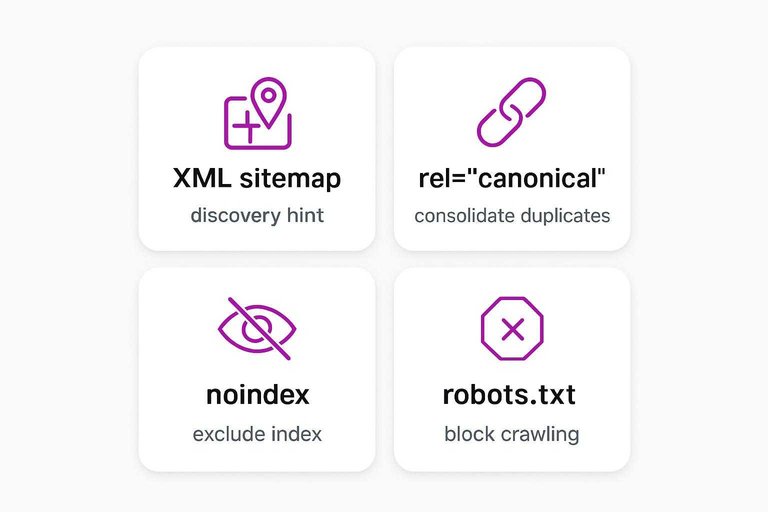
You need separate tools for separate jobs: discovery hints, duplication consolidation, index exclusion, and crawl blocking. Treating them as interchangeable is how autoblogging floods crawl capacity.
| Mechanism | Goal | Crawl cost | Index outcome | Common failure mode(s) |
|---|---|---|---|---|
| XML sitemap / sitemap index | Tell search engines which URLs you consider important (discovery + prioritization hint). | Low by itself, but it expands what you’re asking to be crawled. | No guarantee of indexing; it’s a request and a hint. | Putting every generated variant in the sitemap; failing to partition. A single sitemap file is limited to 50,000 URLs and 50MB uncompressed. |
| rel=“canonical” | Consolidate duplicates to one preferred URL. | Requires crawling the page (and often the canonical target) to be evaluated. | Duplicates may be clustered under the canonical if the pages are equivalent enough. | Canonical chains; inconsistent canonicals; canonicals pointing to non-equivalent pages. |
| robots meta tag (noindex / X-Robots-Tag) | Keep a page out of the index while still allowing access (often used with follow for link discovery). | Costs crawl because Google must fetch the page to see the noindex directive. | Page is excluded from indexing after it’s crawled and processed. | Using noindex as a crawl-budget strategy at scale; you still pay fetches for every URL. |
| robots.txt | Prevent crawling of URL patterns you never want fetched. | Saves crawl by blocking fetches for those URLs. | Blocked URLs aren’t crawled, so Google can’t see content/signals on them. | Blocking things you actually need for evaluation (for example, pages where you expected Google to read canonicals or noindex). |
The operational difference to keep straight is allowing crawl vs requesting indexing:
- A sitemap is you raising your hand: “These URLs are worth attention.”
- A canonical is you saying: “If you see duplicates, consolidate them here.”
- A noindex is you saying: “You may fetch this, but don’t store it.”
- A robots.txt block is you saying: “Don’t fetch this at all.”
When autoblogging, the winning pattern is to keep your URL inventory small enough that your sitemaps contain mostly pages you’d be happy to have crawled tomorrow—and to block entire classes of low-value variants before they ever become crawl debt.
Subsections: []
Rendering Reality
Modern autoblogging stacks break in a way that feels irrational: the page is live, it loads in your browser, and yet Google can’t “see” what matters.
That’s a rendering problem. Rendering (Google’s JS processing) is the step where Google’s headless Chromium executes JavaScript to produce rendered HTML that can be indexed; blocked resources/pages can prevent this. If your template needs JavaScript to show the main content, the internal links, or even the canonical tags, you’re betting indexability on a second step you may not be passing.
Raw vs rendered tests
You’re trying to answer one question: “Does the page contain the content and links in the HTML Google can actually use?”
-
Check raw HTML (no JavaScript). Open the URL and use View Source (or request the document with a simple HTTP client). Look for the core content and internal links in that raw HTML.
-
Check rendered HTML (after JavaScript). Load the page normally and inspect the DOM (for example, in DevTools Elements). Confirm the same content and internal links exist after the app runs.
-
Compare what’s missing. If the raw HTML is basically a shell (a root div, placeholders, or “Loading…”), write down exactly which elements only appear after rendering: main copy, headings, nav links, related links, breadcrumb links.
-
Validate with Google Search Console. In Google Search Console, use URL Inspection’s “View crawled page” views (HTML/screenshot) to confirm what Google retrieved and what it rendered.
-
Make one change and re-test. The goal is a tight loop: change the template/data-loading/navigation behavior, then confirm raw vs rendered moved in the direction you intended.
Blocked resources
When critical resources are blocked, Google can fetch the URL but fail to build the page you think you shipped.
Here’s what that looks like in practice, and what to check:
-
CSS is blocked → layout-dependent content disappears. If your template hides nav or body copy behind CSS rules (or relies on CSS for visibility), a blocked stylesheet can make key sections effectively absent.
-
JavaScript bundles are blocked → client-rendered pages stay empty. If your content is injected by JS, blocking the bundle leaves Google with the unrendered shell.
-
API/JSON endpoints are blocked → the template renders, the data doesn’t. You’ll see headers, chrome, and placeholders—but the “real” text, product tables, or article body never arrives.
-
Image/font/CDN hosts are blocked → rendering can degrade into a different page. It may still “load,” but the structure Google uses to interpret the page can change.
-
The page itself is blocked in robots.txt → you lose the chance to prove equivalence. Google can’t fetch what it can’t crawl, which means it can’t reliably render it, extract links from it, or evaluate on-page signals you expected to carry the page into the index.
The symptom pattern to treat as “rendering until proven otherwise”: pages reported as crawled but showing missing main content, missing internal links, or a rendered screenshot that doesn’t match what you see in a normal browser session.
Render-only links
Internal links are not just “SEO juice.” They’re crawl paths.
If your template only creates navigation after JavaScript runs—common in app-like layouts where menus, related-article blocks, faceted filters, or infinite-scroll listings are assembled client-side—Google’s discovery of your autoblogged URLs shifts from “immediate extraction from HTML” to “extraction after a successful render.” That changes which URLs get found early, which hubs actually function as hubs, and whether new posts are discoverable without Google executing your UI.
The cleanest fix is boring: make sure your primary navigation and “next click” links exist as real <a href> elements in the raw HTML, not as click handlers, injected fragments, or links that only appear after hydration. Once your crawl paths exist before JavaScript, rendering stops being a gate you have to pray you pass.
Indexing Requests
Autoblogging tooling often blurs two different jobs: allowing crawl and requesting indexing. Allowing crawl is you not blocking fetches (so a crawler can access a URL). Requesting indexing is you actively saying, “Please look at these URLs,” which changes what you’re putting in front of an engine at scale.
In an autoblog, that distinction gets expensive fast because every extra URL you “request” is another chance to waste attention on low-value variants (archives, parameters, pagination, duplicates) instead of your canonicals.
Here’s the clean mental model:
- Allowing crawl is a gate: a URL is reachable, so an engine may fetch it.
- Requesting indexing is a queueing decision: you’re nominating URLs as worth evaluation.
So the architecture rule is simple: only request indexing for the URL set you would defend as “the real inventory.” If a URL is a variant you intend to consolidate or exclude, don’t promote it with indexing requests.
IndexNow vs Google
| Topic | IndexNow | Google Indexing API |
|---|---|---|
| What it is | IndexNow is a push protocol that lets you notify participating search engines when URLs are added/updated/deleted. | Google Indexing API is a Google API for notifying Google about specific page types being added/removed. |
| Bulk limits | Up to 10,000 URLs per POST request. | Not positioned as a bulk “index the web” endpoint. |
| What Google does with it | A Google Search Central Community Product Expert states: Google does not support IndexNow. | Google’s docs state it’s limited to job posting pages or livestreaming video pages (not general web pages). |
| Where it commonly lands | Commonly associated with engines like Bing (via Bing Webmaster Tools participation). | Works only for the explicitly supported Google use cases. |
If your autoblogging stack says “auto-indexing,” translate it into a concrete question: “Which engine, which protocol, and which URLs?” If the answer is “IndexNow for everything,” you still need a Google plan—and you still need URL discipline so you’re not aggressively requesting indexing for the very variants you’re trying to keep out of the index.

Ops Triage Loop
Autoblogging QA breaks when your monitoring is one URL at a time. At volume, you need a loop that (1) detects template-level patterns, (2) samples within URL Inspection API quotas, and (3) ships generator fixes that remove whole classes of bad URLs.
Pattern-first monitoring
-
Triage by template or directory first. Group failures by what generated them (article template, /tag/, /author/, pagination, parameters), not by the individual URL that surfaced.
-
Cluster the “not indexed” reasons into a few buckets you can fix system-wide. Your buckets usually map to: canonical setup (duplicates consolidating wrong), robots controls (blocked from crawl or marked noindex), and rendering (Google can fetch but can’t see the main content/links).
-
Pick one representative URL per bucket and reproduce the issue. Use it to verify the cause (for example: the canonical points somewhere unexpected, the raw HTML is thin, or the page class is accidentally blocked).
-
Fix the generator, not the output. Change the template, routing rules, canonical logic, internal-link module, or robots patterns—whatever would prevent the same failure from being emitted tomorrow.
-
Measure impact by “inventory fixed,” not “URLs checked.” A template-level fix that affects 10,000 URLs beats 200 successful one-off inspections every time.
URL Inspection API quotas
The URL Inspection API is the Search Console API method for programmatically retrieving the same index/crawl status details you see in the URL Inspection tool, but it’s constrained by per-site quotas.
-
Design around the daily ceiling. You get 2,000 queries per day per site—treat that as your total diagnostic budget, not a target to burn through.
-
Design around the burst ceiling. You also get 600 queries per minute per site, which means your monitoring job needs rate limiting even if you’re far below the daily total.
-
Sample by “strata,” not randomness. Use your sitemap partitions and major directories/templates as strata, then pull a small set of representative URLs from each.
-
Allocate quota where the inventory risk is. Spend more samples on high-output generators (the templates producing the most new URLs) and on the classes most likely to multiply variants.
-
Escalate only when a pattern is confirmed. Once you’ve validated a systemic cause, stop inspecting more URLs and ship the fix; repeated inspections are just spending quota to learn the same lesson again.
Skribra as reference
Skribra fits into this loop as an automation layer that runs the lifecycle in order—strategy → publish → IndexNow → maintenance—so your ops work shifts from “how do we produce” to “what patterns are we emitting, and are they staying indexable.”
Two practical notes if you’re evaluating it:
- Its IndexNow step is about notifying participating search engines, not Google, so you still need Google-facing monitoring (Search Console patterns plus quota-aware sampling).
- Its published specifics give you a concrete throughput envelope to plan around: the Starter plan is $19/month for 5 articles per month. That’s small enough that a human review layer can stay realistic, but large enough to justify pattern-first monitoring.
Where something else can fit better: if your bottleneck is a custom CMS, non-standard publishing workflow, or a need for deep template control, a tool constrained to the integrations it supports may be the wrong place to anchor your ops loop.
The ops takeaway is simple: whatever creates URLs must also own the monitoring and the fixes—or your autoblog will scale output faster than it can correct the patterns that keep pages out of the index.
Build for indexing, not output
If half your autoblogged URLs are “live” but invisible, the failure usually isn’t the writing—it’s that the system isn’t reliably getting pages through discovery, crawl, rendering, and the indexing quality gate. Treat automation like an SEO supply chain: control link-based discovery, make raw HTML carry the content and crawl paths (not just JS), and shrink the URL inventory so Google spends fetches on pages you’d actually defend. Then enforce QA rules that catch scaled-content patterns, scraping-by-rewording, and missing provenance before a URL ships. Your first move: pick one “not indexed” pattern bucket (duplicate/canonical, robots controls, or rendering), reproduce it on a representative URL, and fix the template or routing logic that generated the whole class—not the individual page.
Frequently Asked Questions
- Is autoblogging the same thing as AI content generation?
- Not quite—autoblogging is the end-to-end system (research → drafting → publishing → updating), while AI content generation is one component that may produce drafts. In SEO terms, autoblogging only “works” when it also manages discovery, crawlability, rendering, indexing, and ongoing refreshes.
- What does Google actually consider “scaled content abuse” in autoblogging?
- Scaled content abuse is when you generate lots of pages primarily to manipulate rankings rather than to help users, regardless of whether humans or automation created them. A practical litmus test is whether the page exists only because the system can generate it, not because it adds distinct value beyond near-duplicates.
- Does IndexNow get autoblogged pages indexed in Google?
- No—IndexNow is a push protocol for participating search engines, and Google doesn’t support IndexNow. For Google visibility, treat indexing as a crawl/render/index problem you solve with strong internal linking, clean URL inventory, and renderable HTML—not a single “auto-indexing” switch.
- Should I noindex all my tag, date, and archive pages in an autoblogging setup?
- Noindex keeps pages out of the index, but it still costs crawl because Google has to fetch the page to see the directive. If you don’t want whole classes of low-value URL variants crawled at all, block those patterns in robots.txt and keep only intentional hub pages indexable.
- How long should an autoblogging article be for SEO—1,000 words or 3,000 words?
- Word count isn’t a quality signal by itself—publish the shortest page that fully satisfies the search intent without filler and that you can keep accurate over time. If you’re comparing tooling, note that Skribra publicly lists both a 1,700–3,300-word range and a separate 1,000–1,500-word range on different pages, so verify what your workflow will actually produce before standardizing on a length target.
Keep Autoblogging Indexable
Once you’ve identified the template-level “not indexed” bucket, the next challenge is keeping keyword selection, publishing, and maintenance aligned as volume grows.
Skribra is an AI-driven SEO content system that builds a rolling 30-day content calendar, publishes to your site, and maintains posts using performance data—plus IndexNow auto-indexing to speed discovery. Start with the 3-Day Free Trial.
Written by
Skribra
This article was crafted with AI-powered content generation. Skribra creates SEO-optimized articles that rank.
Share: