August 30, 2026
·
7 min read
What Is Organic Traffic and How Does It Work?
An explainer on what organic traffic is and how it’s created—clear definitions, how crawling/indexing/ranking produce SERP clicks, why pages earn visibility (relevance, authority, quality, technical access), and how attribution works across GA4 and Search Console.

Organic traffic sounds straightforward—until you look at your reports and see “Direct,” “Organic Search,” “Referral,” and “Paid” blurring together. Is a click from Google News organic? What about a link in an email app, or a search inside YouTube?
This explainer breaks down what organic traffic actually means, how search engines turn pages into results, and why some pages win those clicks. You’ll also learn how analytics tools decide what counts as “organic,” and how to compare organic search to other acquisition channels without misleading yourself.
Organic Traffic Defined
Organic traffic is unpaid visits from search engines when someone clicks a non-ad result. It excludes traffic you bought, pushed, or tagged, because those visits were initiated by campaigns, not discovery.
The core definition
Organic traffic is a visit that starts from an unpaid search result on a search engine results page. It excludes ads, email, affiliates, and UTM-tagged campaigns.
Traffic source contrasts
Organic visits begin when a searcher clicks a non-ad result.
- Organic: user searches, then clicks
- Paid: you bid, then they click
- Direct: they type or use a bookmark
- Referral: another site links, they click
- Social: a platform feed sends them
Common misclassifications
“Direct” often steals organic credit when analytics can’t see a referrer. That happens with missing referrers, HTTPS→HTTP jumps, in-app browsers, and messy redirects.
Where you see it
You’ll see organic traffic in a few places, each with different rules.
- GA4: Default channel group
- Search Console: Clicks from Google Search
- Server logs: Raw request entries
Search Engine Pipeline
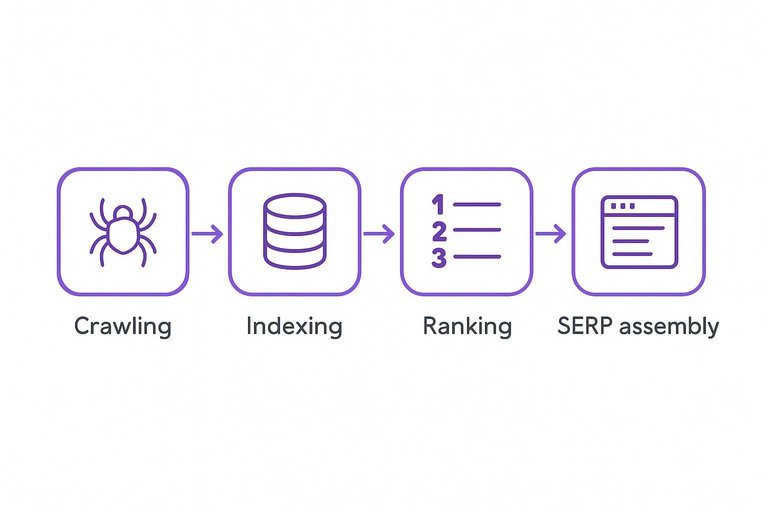
Search engines don’t jump from query to click in one move. They run a pipeline that discovers pages, decides what to store, orders candidates, then assembles a results page.
Crawling mechanics
Crawling is how search engines discover URLs and decide what to fetch next. It matters because uncrawled pages rarely get a real chance to rank.
Discovery usually comes from internal links, external links, and XML sitemaps. Crawl budget is the practical limit of how many URLs a bot will request on your site. robots.txt can block crawling, while status codes steer crawlers toward or away from URLs.
If your site wastes crawls on broken or duplicate URLs, your best pages get fewer shots.
Indexing decisions
Indexing is a gate, not a guarantee, and many pages never pass it.
- Canonical tags point to preferred URLs
- noindex directives block storage
- Duplication reduces unique value
- Renderability affects page understanding
- Content quality checks filter noise
When indexing is inconsistent, ranking work won’t stick because the page isn’t reliably eligible.
Ranking inputs
Ranking chooses an order from the indexed candidates for a specific query. It matters because the “best page” changes by intent.
Relevance signals connect your page to the query terms and topic. Quality signals estimate trust, depth, and originality. Usability signals cover things like mobile friendliness, speed, and intrusive layouts.
Intent-matching often beats keyword repetition because the SERP rewards the page that solves the job.
SERP assembly
Search results are a layout, not a list, and the layout can steal or shift attention.
- Featured snippets and rich results
- Local pack and maps results
- Image and video blocks
- People Also Ask questions
- News, shopping, or forums
If a feature answers the query directly, the click target might not be any blue link.
Click behavior
A higher ranking can still deliver less traffic. The page has to win the click in the context of that SERP.
SERP features can satisfy the search without a visit, creating zero-click searches. Titles and meta descriptions act like ad copy, and weak messaging gets skipped. Brand bias is real too, because known names feel safer.
You’re not optimizing for position alone; you’re optimizing for selection. If you want a broader framework for improving each stage of this process, see this complete SEO guide.
Why Pages Rank
Search systems try to pick the best result for a query, not the “best page” in general. They infer that “best” using three buckets: meaning, signals from the web, and the on-page experience.
Relevance matching
Search starts by matching meaning, not just keywords. It maps your page and the query into comparable “concept” space, then checks intent fit.
A plain way to think about it:
- Entities: specific things like products, places, people, brands, conditions.
- Topics: broader clusters that connect entities and subtopics.
- Intent: what the searcher wants next, like learn, compare, buy, fix.
Your page ranks when its entities and topics align with the query, and the layout serves the intent quickly. Write for the question behind the query, and relevance often follows.
Authority signals
Relevance gets you considered. Authority gets you trusted over similar options.
- Earn quality links from related, credible pages
- Strengthen internal linking to key pages
- Build topical depth with connected subtopics
- Gain mentions, even without direct links
If two pages answer equally well, authority is the tiebreaker.
Quality and trust
Search systems also defend users from low-value or risky results. Thin, deceptive, or unsafe pages lose visibility because they create bad outcomes.
Think of E-E-A-T as practical heuristics, not a single score. Show real experience, demonstrate expertise, make authorship and sourcing clear, and avoid patterns that look manipulative.
When trust is the issue, more words rarely help. Cleaner intent and proof help.
Technical accessibility
A great page can’t rank if crawlers can’t load it properly. Technical blockers often hide relevance and quality signals.
- Slow rendering from heavy scripts
- Broken templates or erroring components
- Blocked resources like CSS or JS
- Poor mobile UX that breaks key actions
Fix access first. Search can’t reward what it can’t reliably see.
Attribution Under the Hood
Analytics doesn’t “see” Google Search. It infers the source from technical crumbs like referrers and campaign tags. Get those crumbs wrong, and your “organic” numbers drift fast.
Referrer logic
Your browser may send a referrer header when you click a link. Analytics tools read that header, match the domain to a known search engine list, then bucket the session into a channel.
If the referrer is a search engine and there’s no campaign tag, the session often maps to Organic Search.
If the referrer is another site, it maps to Referral.
If there’s no referrer at all, it may become Direct.
Cross-domain hops, redirects, and privacy controls can strip referrers, so “Direct” often contains hidden organic.
Campaign precedence
Campaign tags exist to override ambiguity. When they’re present, most analytics will trust them over referrers, including search referrers.
- UTMs force a chosen source/medium
- Ad click IDs auto-label paid traffic
- Auto-tagging beats manual referrers
- Mis-tagging inflates or deflates organic
- Copy-pasted UTMs pollute reports
Treat UTMs like production config, not marketing decoration.
GA4 channel grouping
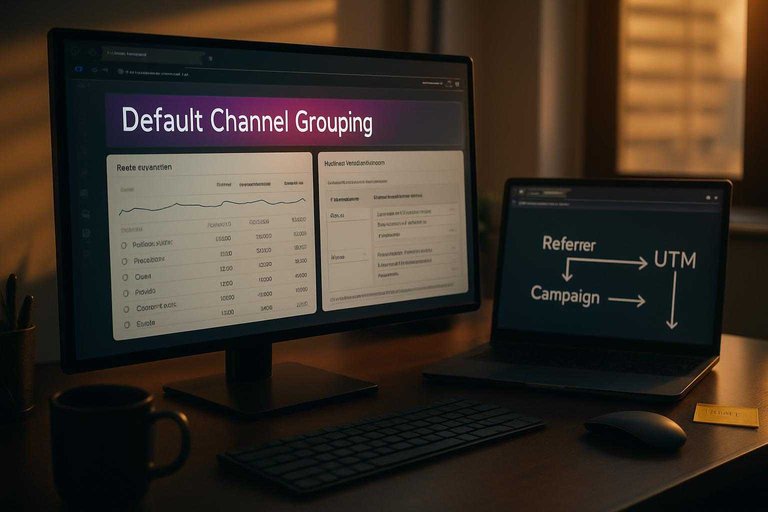
GA4 assigns sessions to channels using Default Channel Grouping rules. Those rules evaluate fields like source, medium, and campaign, then decide whether something qualifies as Organic Search.
Change the grouping rules, and your channel totals change too.
That includes what counts as “organic,” even when the raw events stayed identical.
If your organic trend looks “off,” check whether the definition changed before you debate the SEO.
Search Console vs analytics
They answer different questions. One is about search interactions, the other is about on-site behavior.
- Clicks measure SERP visits
- Sessions measure site activity
- Sampling can affect exports
- Privacy thresholds hide low-volume data
- URL normalization differs by tool
Use Search Console to diagnose search demand, then use analytics to judge on-site outcomes.
Organic vs Other Channels
Different channels feel similar in analytics. They behave differently in budgets, timelines, and risk.
| Channel | Cost model | User intent | Measurability | Speed | Typical failure mode |
|---|---|---|---|---|---|
| Organic search | Time, content, SEO | High, problem-led | Medium | Slow | Thin content, mismatched intent |
| Paid search | CPC, budget caps | High, action-led | High | Fast | Bad landing page, poor keywords |
| Paid social | CPM/CPC | Low to medium | High | Fast | Weak creative, wrong audience |
| List building, tools | High, relationship-led | High | Medium | List decay, over-sending | |
| Referral/partners | Rev share, effort | Medium to high | Medium | Medium | Misaligned incentives, low volume |
Pick the channel whose failure mode you can tolerate, then design around it—for example, if you’re betting on organic search, you can speed up research and production with AI tools to boost organic traffic.
Audit Your Organic Traffic the Right Way
- Lock the definition: organic traffic = unpaid clicks from search engine results, and document what you will (and won’t) include.
- Validate attribution: compare GA4 “Organic Search” landing pages with Search Console queries/pages to spot mismatches from referrers, channel grouping, or campaign overrides.
- Diagnose ranking drivers on key pages: confirm intent match (relevance), credibility (authority/trust), content usefulness (quality), and crawlability/indexability (technical accessibility).
- Use the channel comparison table to set expectations: judge organic against paid, referral, email, and social by their typical intent, attribution reliability, and optimization levers—not just raw sessions.
Frequently Asked Questions
- Why did my organic traffic drop suddenly even though I didn’t change anything on my site?
- Sudden organic traffic drops usually come from Google algorithm updates, a technical SEO issue (robots.txt, noindex, canonicals, migrations), or competitors gaining visibility. Check Google Search Console for indexing/manual action messages and compare landing-page and query changes around the drop date.
- How do I increase organic traffic without building backlinks?
- You can often grow organic traffic by improving on-page relevance (titles, headings, internal links), refreshing outdated content, and targeting long-tail queries your site can realistically win. Backlinks help, but many pages improve from better content alignment and site architecture first.
- What’s the difference between organic traffic and organic search impressions in Google Search Console?
- Organic traffic counts visits/clicks that reached your site, while impressions count how often your pages appeared in search results even if nobody clicked. Use impressions plus average position and CTR to diagnose whether you have a visibility problem or a click-through problem.
- Should I track organic traffic by landing page or by keyword in 2026?
- Track organic traffic primarily by landing page because it maps directly to conversions and content performance, then use query data to find optimization opportunities. Keyword tracking is still useful for monitoring themes, but it’s less complete due to personalization and query sampling limits.
- How often should I publish new content to grow organic traffic?
- Publish as often as you can maintain quality and consistency, focusing on topics with clear search demand and a strong internal linking plan. If you need help keeping a steady cadence, a platform like Skribra can streamline SEO-focused drafts and WordPress publishing so you can iterate faster.
Grow Organic Traffic Consistently
Understanding how organic traffic works is step one; turning that knowledge into a steady publishing and ranking rhythm is where most teams get stuck.
Skribra generates and publishes SEO-optimized articles with keywords, meta descriptions, and WordPress integration—plus a backlink exchange network—to help you compound organic traffic; start with the 3-Day Free Trial.
Written by
Skribra
This article was crafted with AI-powered content generation. Skribra creates SEO-optimized articles that rank.
Share: